3D logo maker8 min read
3D Logo vs Flat Logo: When Depth Helps a Brand
An honest look at 3D and flat logos, with real examples. Where depth helps a brand, where a flat logo works better, and how to have both versions.
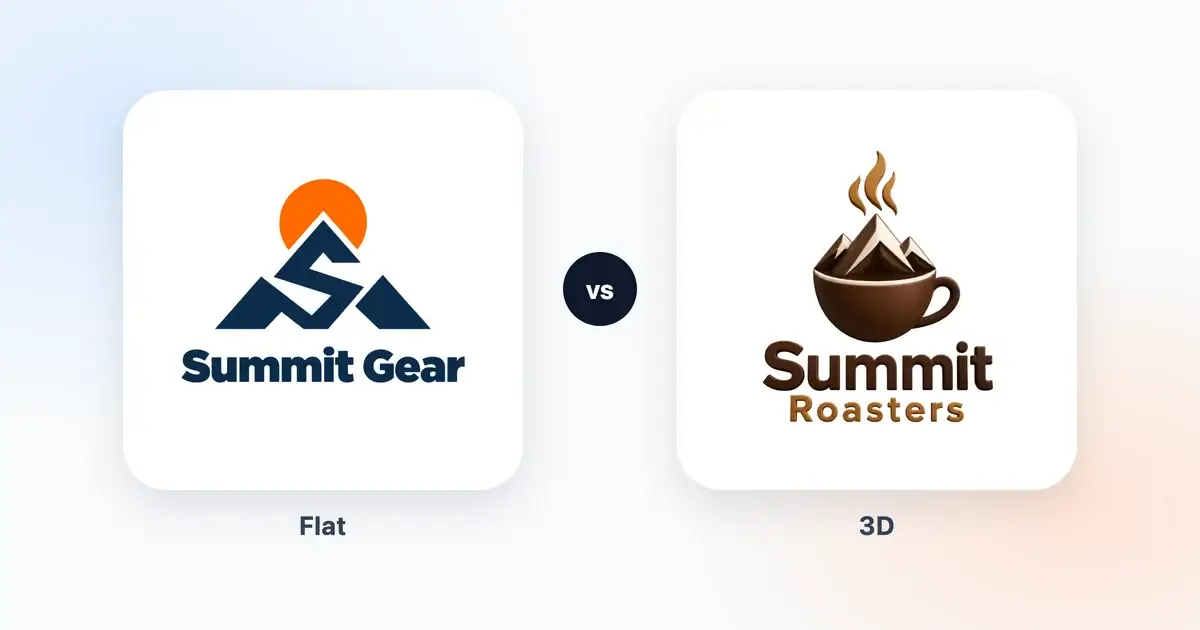
A 3D logo looks like an object. It has thickness and it catches the light, so it seems to sit in front of the page rather than on it. A flat logo is shapes and color, and it never pretends to be anything more. People often ask which one is better. The honest answer is that it depends on where your logo has to work, and most brands that use depth well keep a flat version for the jobs depth can't do.
Our AI logo maker makes both kinds, so this comparison leans on real examples from our own case library rather than theory. By the end you should know which one to lead with, and how to get the other one without starting from scratch.
What makes a logo look 3D
A few tricks make the eye see depth, and it's worth knowing their names, because you'll end up talking about them with whoever prints your logo.
Extrusion is the side of a shape: what you'd see if a letter were cut out of a thick block and turned a little. A bevel is a sloped edge that catches the light, like the rim of a coin. Highlights and shadows tell you where the light is coming from. And the material is what the surface seems to be made of, whether that's glossy ceramic, soft clay, polished gold or ice.
A flat logo has none of that. It's made of solid areas of color lying on the surface. It can still have a gradient or a little texture, but nothing in it pretends to stick out. In our generator, the "2D flat" setting means exactly that: no extrusion, no perspective and no bevels.
The easiest way to see the difference is one brand drawn both ways. These three Harbor & Pine logos came from the same brief: the same name, the same coffee shop industry and the same Minimalist style. Between the first two we only switched the Type setting from 2D flat to 3D depth, and for the third we set the color to B&W.
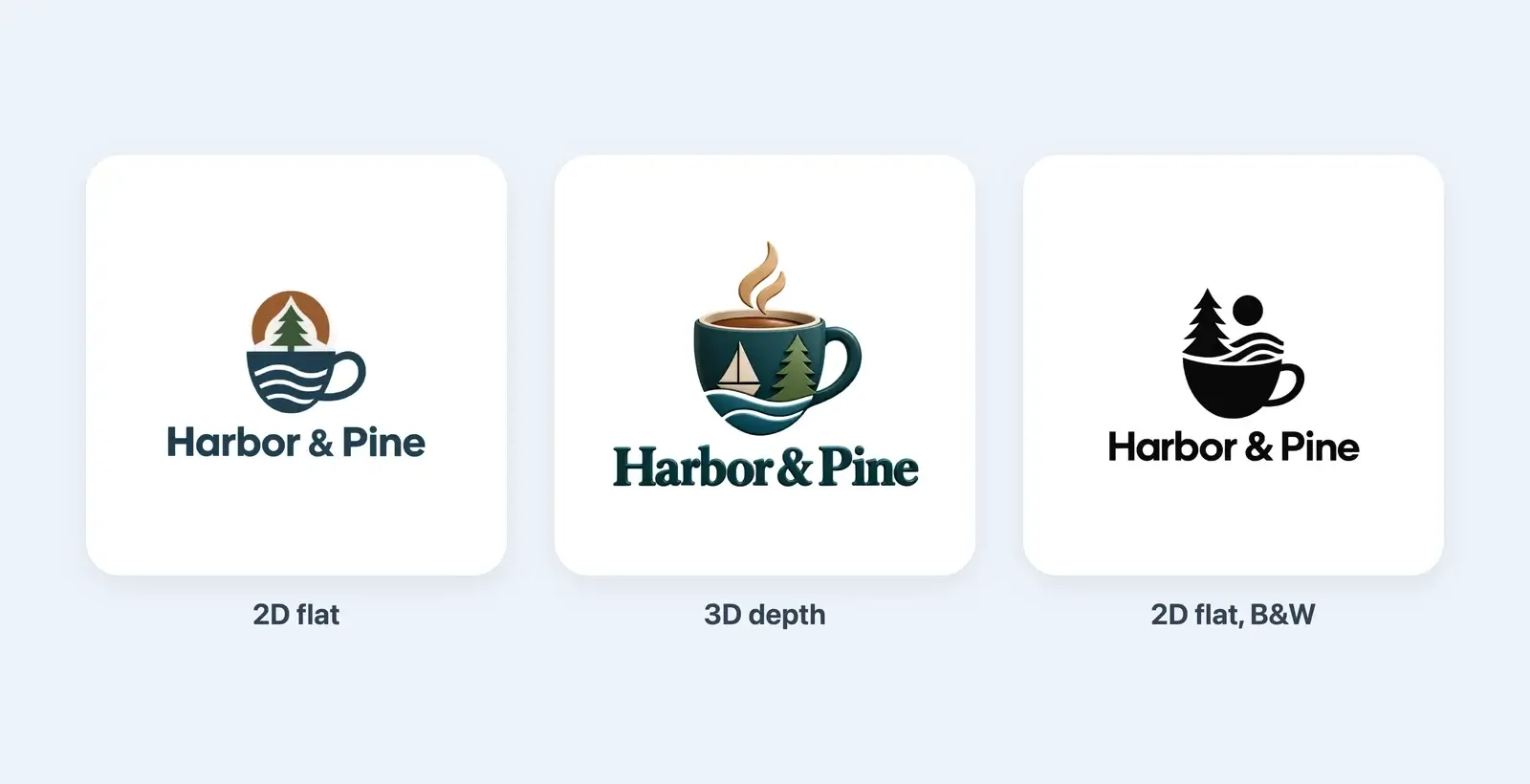
Notice that the 3D version isn't the flat one with shading added on top. The generator drew each design fresh: the flat one is a cup of waves under a pine tree, while the 3D one is a glossy teal mug with a sailboat and a tree inside. You get siblings, not twins. That matters later, when you want both.
Where a 3D logo shines
Depth earns its place wherever a logo gets room and a moment of attention. These are the places where it really pulls its weight.
Packaging and food
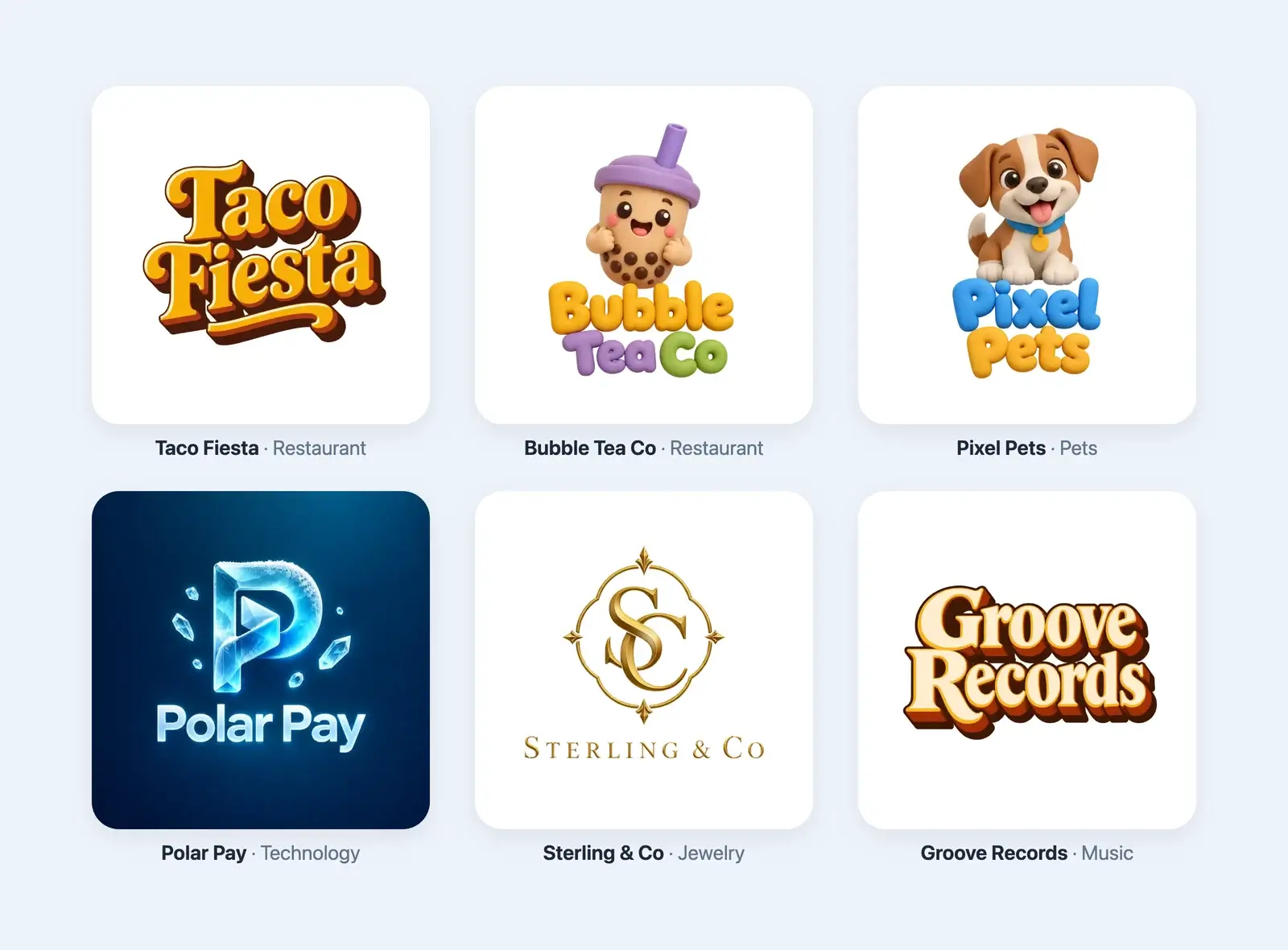
A box, a bag or a cup is already a three-dimensional thing, sitting on a shelf or in someone's hand. A logo with light on it looks like it belongs there. Food brands get the most out of this. Chunky, glossy letters look a little like something you could eat, which is the whole point for a taco place or a donut shop. Look at Taco Fiesta in our library, all golden letters with orange and brown sides. Drinks work the same way: Bubble Tea Co's clay cup has the soft, friendly feel the drink itself has. And a gold monogram like Sterling & Co's was made for a jewelry box.
Social media and apps
Profile pictures are small circles in a busy feed, and many of the logos around yours will be flat. A single chunky object with light on it stands out there. The same goes for an app icon on a phone's home screen. The trick is to pick a 3D logo with one bold shape. Polar Pay's ice letter fills a small square well, helped by the deep blue background that 3D Ice comes with. A thin gold frame with spaced-out letters doesn't.
Games, toys and kids' brands
Game logos have leaned on chunky, shiny lettering for a long time, and a flat logo can look underdressed on a title screen. Toys and kids' brands are similar. Clay logos like our Pixel Pets puppy look like something you could pick up and squeeze, and that's the feeling a toy shop or a pet brand wants.
Signs and screens
A full-color printed sign, a lightbox, a menu board or a screen in a shop window shows off depth well, because there's room and color to do it. One catch: if your sign is going to be built as real 3D letters, cut from metal or acrylic, the sign maker needs a flat vector. They add the depth with real material, and a drawn shadow would only fight the real one.
Where a flat logo wins
Depth needs room and full color to show. Take either of those away and a flat logo does the job better.
Favicons and other tiny sizes
A favicon is the little icon in a browser tab, 16 or 32 pixels wide. At that size a bevel is thinner than a pixel and a highlight is a single light dot, so the depth simply isn't there anymore.
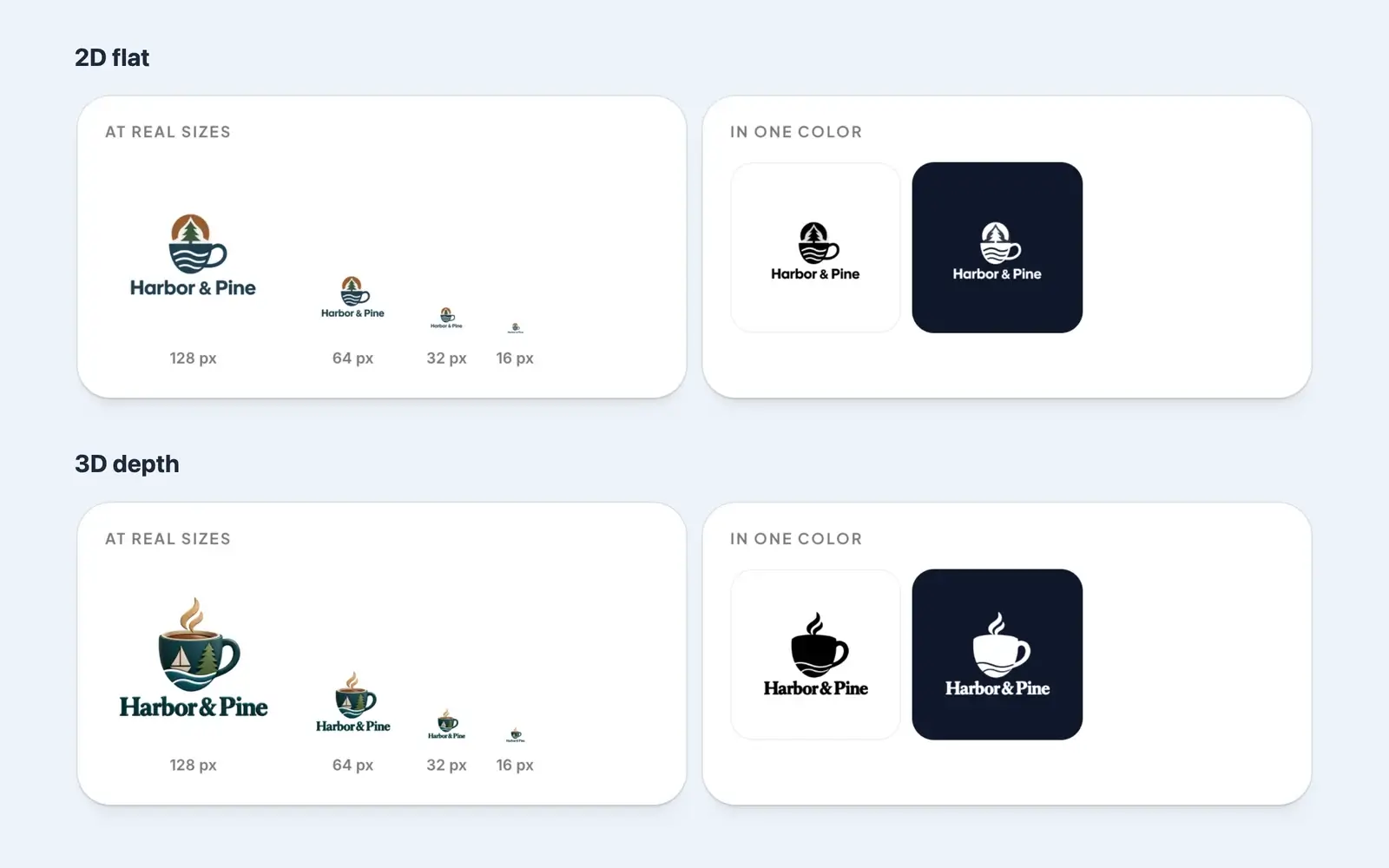
Our own logo checker taught us something here, though: depth isn't what ruins a tiny logo, detail is. When we ran both Harbor & Pine logos through it, the 3D one came out clearer at small sizes, because its cup is one big, solid shape. The flat one has thin wave lines and a small tree that blur together at 32 pixels. So at tiny sizes, judge the shape rather than the style. A bold 3D logo can survive in a browser tab. It just won't look 3D there.
Embroidery and engraving
Thread comes in solid colors, so embroidery can't do gradients, glows or soft shadows, and fine details get lost in the stitches. Engraving and laser etching have no color at all, only cut and not cut. For a cap, a polo shirt or an engraved glass, you need a flat logo with a handful of solid colors, and an embroiderer will usually ask you for exactly that.
Stamps and one-color print
A rubber stamp has ink or no ink, with nothing in between. Most receipt printers print only black. Screen printing on T-shirts and tote bags uses a separate screen for every color, so each extra color is extra work and extra cost. In all of these, a 3D logo gets squeezed into one color, and everything its shading was doing disappears.
You can see it below, in our logo checker. In one color, the flat Harbor & Pine logo keeps its tree and its waves. The 3D one loses its sailboat and its pine tree completely, because they were drawn with light and shade rather than with shapes.
Documents and paperwork
Contracts, invoices, letterheads and forms often get printed in black and white on an office printer, then copied or scanned. A flat logo survives all of that. A 3D one turns into muddy grays. If your business sends out a lot of paperwork, that alone is a good reason to keep a flat version ready.
How to have both with DepthLogo
Most brands don't have to choose. The usual setup is a 3D logo for screens, packaging and social media, plus a flat version for everything that's small, stitched, stamped or printed in one ink. Here's how to get both from us.
Run the same brief twice. In our 3D logo maker, every style except the four that are always 3D (Retro 3D, 3D Ice, 3D Clay and Gold) has a Type setting: 2D flat or 3D depth. Keep the name, the description and the colors, switch Type, and generate again. As the Harbor & Pine example shows, the two designs will be related rather than identical. Describing the picture precisely in "What should it show?" gives both runs the same thing to draw. Your first AI design is free, and a second one comes from a pack, so check our pricing before you plan several rounds.
Then buy each design as the file it's good at. For the 3D version that's the PNG, which keeps every highlight and shadow. When you download a 3D design, we even mark the PNG option "Best for 3D". For the flat version, take the SVG. It's a true vector that printers, embroiderers and sign makers can work with, and it opens in our editor, where you can change its colors. That's handy for making an all-black version for a stamp. If PNG and SVG are new to you, our guide to logo file formats explains both in plain English.
You can also buy a single 3D design as PNG + SVG, and that's useful: you get one design in both files. Just know that the SVG is traced from the 3D artwork. It's a sharp picture of a 3D object, made of many small shapes, not a flat logo. For embroidery or a stamp, you still want the flat design.
If a flat logo is all you need, our logo templates are flat vectors from the start, and their download already includes one-color black and white versions.
Whatever you end up with, run it through our free logo checker. With the 3D logos we tried, it flagged the gradients and summed up this whole article in one line: keep a flat, one-color version as well. And since a 3D design costs the same as a flat one, depth is a design decision, not a budget one.
A simple way to decide
If you're still on the fence, try this. Write down every place your logo will appear in its first year, then sort them into two lists.
The first list is where depth is welcome: screens, packaging, social media, shop windows and anything printed in full color. The second is where it isn't: favicons, embroidery, stamps, receipts, engraving and paperwork that ends up in black and white.
If the first list is longer, lead with a 3D logo and keep a flat version for the second. If the second list is longer, lead with a flat logo. You can still make a 3D version for social media and launch graphics, as long as it's clearly the same brand.
If you decide to go 3D, our step-by-step guide on how to make a 3D logo walks through the brief, the styles and the checks. If you'd like to see more examples first, browse the 3D filter in our logo ideas. And if you're new to all of this, our guide to making a logo with an AI logo generator covers the basics, flat or 3D.