Free logo makerUpdated 11 min read
Logo File Formats Explained: PNG, SVG, PDF and More
Logo file formats in plain English: what PNG, SVG, PDF and WebP are for, which file to send a printer or sign maker, and how to check a logo file.
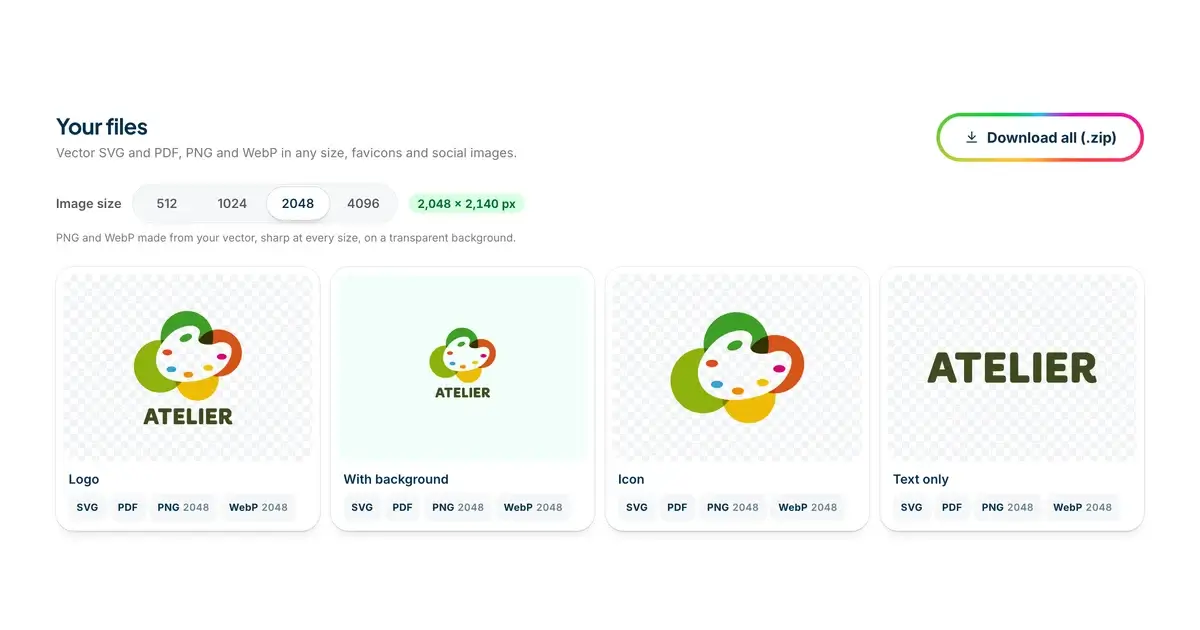
Your logo isn't one file. It's a small set of files, and each one is made for a different job. Logo file formats sound technical, but one idea explains most of them, and a few habits keep you clear of the classic mistakes: a blurry logo on a shop sign, or a white box around your logo on a dark website.
This guide explains what each format is for, which file to send to a printer, a web developer or a sign maker, the versions people forget to ask for, and how to check a file before you use it. It's written for people who don't design for a living, so we'll explain the jargon as we go.
Pixels or shapes: the idea behind every logo file format
Every logo file stores the logo in one of two ways.
A raster image is a grid of tiny colored squares called pixels. Photos work this way, and so do PNG, JPG and WebP files. A raster image has a fixed size, say 2,000 pixels wide. Show it smaller and it looks fine. Stretch it bigger and the computer has to invent pixels that aren't there, so the edges go soft and blurry.
A vector image stores shapes instead: lines, curves and fills, described with math. SVG is a vector format, and a PDF can hold vector shapes too. Because the shapes are redrawn at whatever size you need, a vector logo is as sharp on a business card as it is on the side of a truck.
That's the main idea. Raster files are fine on screens, where you know the size. Anything that might be printed, cut, stitched or blown up needs a vector. Everything else is detail.
PNG: the logo file you'll use most
A PNG is a raster image, and it's the one you'll drop into a website builder, a slide deck or a social media post. Two things make it good for logos.
First, a PNG can be transparent. Besides its color, each pixel can store how see-through it is, which designers call the alpha channel. A transparent PNG has no background at all, so your logo sits cleanly on a colored banner or a photo. A PNG without transparency carries a white or colored box with it wherever it goes.
Second, PNG doesn't throw away detail when it saves, so crisp edges stay crisp.
The thing to watch is size. Pixels are fixed, so ask how many you're getting. About 2,000 pixels on the long side covers websites, slides and everyday print. For printing, a common rule is 300 pixels per inch at the final size, so a 2,048-pixel PNG prints sharply up to roughly 7 inches (17 cm) wide. Anything bigger, like a banner or a sign, should come from a vector.
SVG: the vector you keep for everything else
SVG stands for Scalable Vector Graphics. The file is plain text that describes your logo's shapes, so it stays sharp at any size and is usually small, which makes it a good choice for a website header too. Print shops, sign makers and embroiderers all ask for a vector, and an SVG is the most common kind.
Two things to know. Not everything opens an SVG: many email programs won't show one, and some older office software won't either, so keep a PNG for those. And not every SVG is a real vector. An SVG file can also hold a pixel picture inside it, which says "vector" on the label and blurs like a PNG when you enlarge it. We'll show you how to spot that below.
In the SVG files you download from us, the text has already been turned into shapes. Designers call that outlining. It means your logo looks right on any computer, even one that doesn't have the fonts.
PDF: the file many printers ask for
A PDF is a document format, and it can hold vector shapes. Many print shops prefer a vector PDF, because it opens the same way everywhere and prints at any size. Like an SVG, though, a PDF can also contain nothing but a picture, so a PDF isn't automatically a vector. The PDFs in our downloads are drawn from the vector shapes.
Some printers still ask for an EPS file, an older vector format, or an AI file, which is Adobe Illustrator's own format. Ask whether a vector PDF or an SVG will do instead. Many shops are happy with either, and if yours isn't, a designer can convert the SVG for them.
Printers also think about color differently. Screens mix color from light, a system called RGB. Printing presses mix inks, a system called CMYK. Our files use screen colors, and the printer converts them to ink. Bright blues and greens can come out a little duller on paper, so if the exact shade matters, ask for a printed proof before a big order.
WebP and JPG: two more pixel formats
WebP: a lighter PNG for websites
WebP is a newer image format made for the web. It can do what a PNG does, transparency included, usually in a smaller file, so pages load faster. Every current browser shows WebP. Some older software and email programs don't, which is why you keep the PNG alongside it.
JPG: fine for photos, wrong for logos
You'll still see logos sent around as JPG files. JPG was made for photos. It can't be transparent, and it saves space by throwing away fine detail, which shows up as fuzzy, speckled edges around letters. Use a JPG of your logo only when a form or a website accepts nothing else.
Favicons and profile pictures
Favicons and app icons
A favicon is the tiny icon in a browser tab, next to your page's title. It's shown at 16 or 32 pixels, where a detailed logo turns into a smudge. That's why favicons usually show only the symbol, or an initial, rather than the whole logo.
A favicon set is a handful of files. There's a favicon.ico that holds the small sizes, an Apple touch icon of 180 pixels for when someone saves your site to an iPhone home screen, and larger 192 and 512 pixel icons that Android phones and web apps use. Your web developer will know where each one goes. You just need to have them, and if your logo didn't come with them, our free favicon generator makes the whole set from it.
Social media profile pictures
Profile pictures are square, and many platforms crop them into a circle. A wide logo shrinks to a thin strip in that space, so for profiles you usually want the symbol on its own, or a stacked version, on a background in your brand color. A square of 1080 by 1080 pixels is big enough for the main social networks. Our logo size guide lists the sizes for every other place a logo goes, from website headers to print.
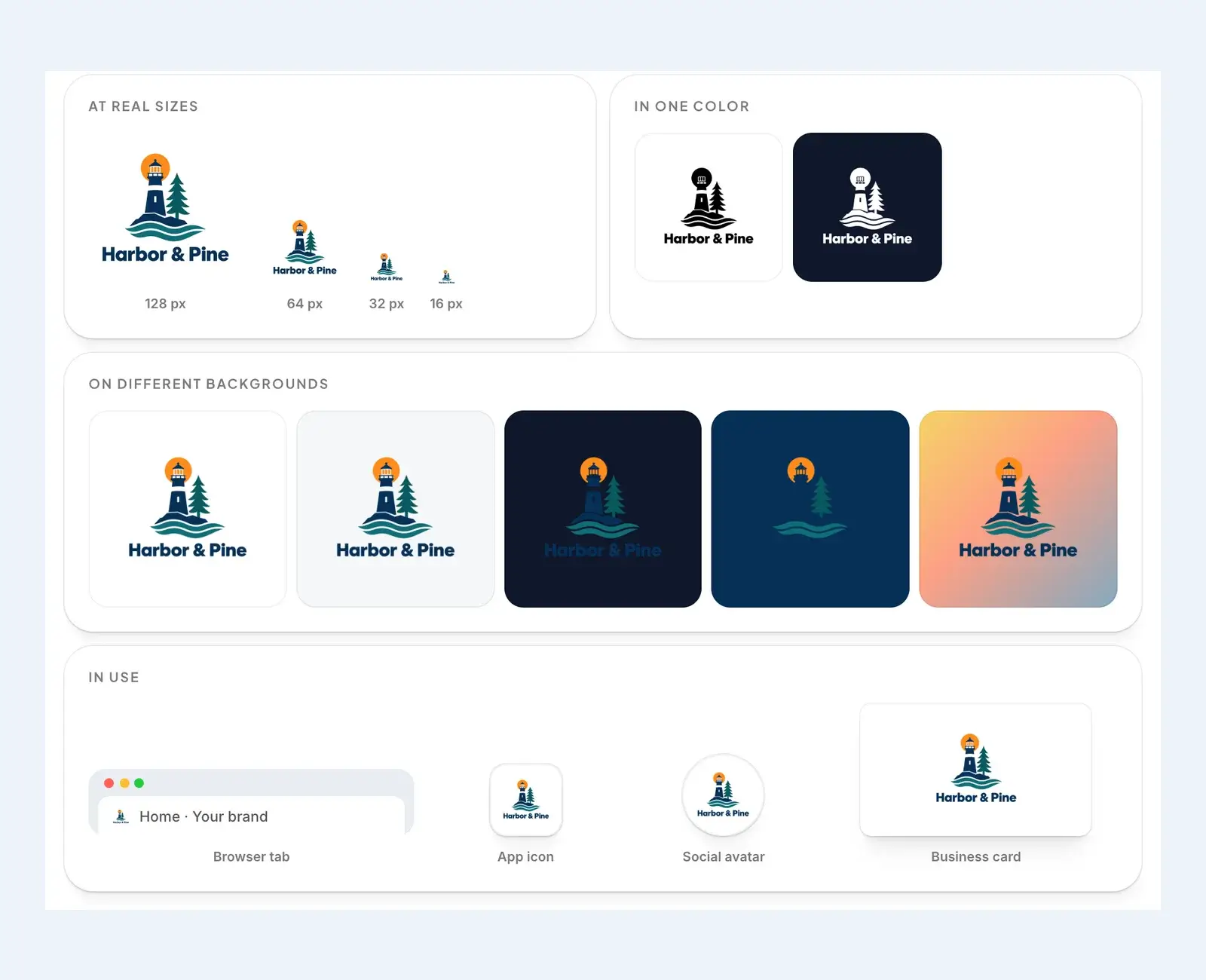
Our logo checker, which we'll come back to below, shows both problems at a glance. In its previews of the Harbor & Pine sample, the name can't be read at 16 pixels, and much of the logo sinks into a dark navy background.
Which file to send to whom
Here's who usually asks for what. When in doubt, send the vector and a transparent PNG, and let them choose.
- A print shop doing business cards, flyers or stickers wants the vector PDF or the SVG. Tell them about any brand colors you care about.
- A web developer wants the SVG for the site header, a PNG or WebP as a backup, and the favicon set.
- A sign maker, vinyl cutter or engraver wants the SVG or PDF, and often the one-color version, because vinyl, paint and engraving usually work in a single color.
- An embroidery shop wants the vector and a version with as few colors as possible. They turn your logo into a stitch file themselves, a job called digitizing, and fine lines and gradients don't stitch well.
- Whoever runs your social media wants the square profile pictures and a few transparent PNGs.
- Anyone putting your logo in a document, a presentation or an email signature needs a transparent PNG.
The versions people forget
A logo you only have in full color, on white, will let you down sooner or later. These are the versions worth having before you need them:
- A one-color version, usually black, for stamps, invoices, engraving and anything printed in a single ink.
- A reversed version, usually white, for dark backgrounds, photos and dark-mode websites.
- The symbol on its own, for favicons, app icons and profile pictures.
- The name on its own, for wide, short spaces like a website header or the side of a pen.
- The logo on its background color, for the times it needs a block of color behind it.
Check a logo file before you use it
Files get mixed up, and some arrive broken in ways you can't see at a glance. Before you send a logo to a printer or upload it to your website, run it through our free logo checker. It works inside your browser, so the file is never uploaded anywhere, and it takes PNG, JPG, WebP and SVG files up to 10 MB.
The checker gives your logo a score out of 100 from six checks, and each one comes with a tip when something needs work.
- It looks at the edges of the image to see whether the background is really transparent. If it finds a solid color instead, it names the color, so you know there's a box around your logo.
- It checks the file itself. For a PNG, JPG or WebP that means the size in pixels: under 800 pixels on the long side is too small, and under 1,500 is fine on screens but too small for print. A JPG gets a warning even when it's big, because it can't be transparent. For an SVG, it looks inside the file, and if the file only wraps a picture without drawing any shapes, it tells you.
- It shrinks the logo to 32 pixels, about favicon size, and measures how much of the detail survives.
- It measures how much of the logo still stands out on white and on dark navy, which tells you whether you need a reversed version.
- It counts the main colors and spots gradients and textures, which are harder to print, stitch and engrave.
- And it measures the proportions, because a very wide or very tall logo looks tiny in a square space like an app icon.
Under the checks come the previews you saw earlier: the logo at real sizes, in one color, on different backgrounds and in use.
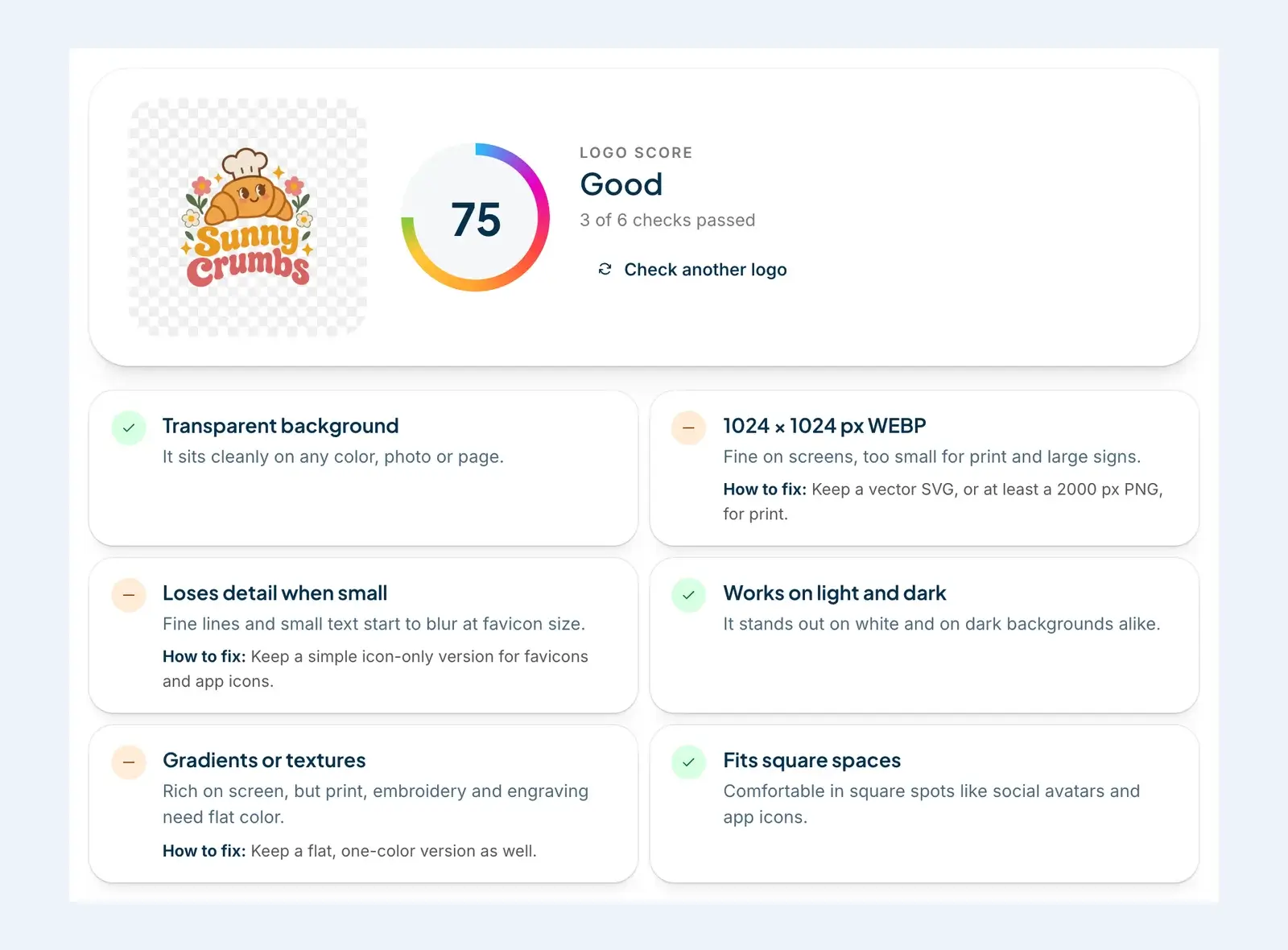
The SVG check is worth a closer look, because it catches a problem you can't see. We took the Harbor & Pine sample from the checker, which is a pixel image, and wrapped it in an SVG file, the way some tools do when they export a "vector". The file name ends in .svg and the logo looks fine on screen. The checker looks inside, finds a picture and no shapes, and fails the file. It also notices that most of this logo fades on dark colors, so it needs a light version for dark backgrounds.
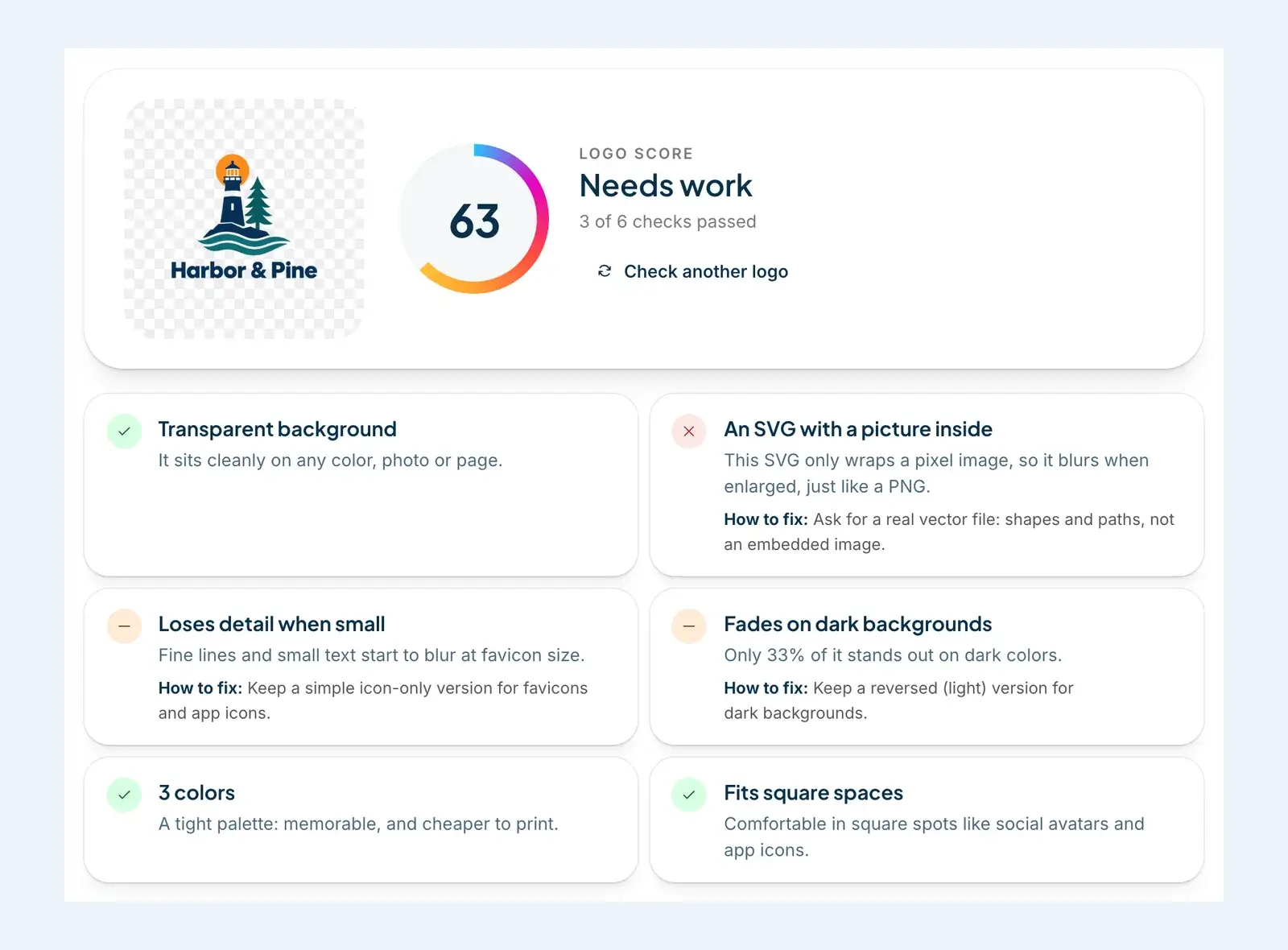
When a check warns or fails, the fix nearly always comes back to the files and versions above: a vector for print, a simpler icon for small sizes, a white version for dark backgrounds. For more on testing a logo, including the tests only a person can do, see our logo checker guides.
What's in a DepthLogo download
Every logo you buy from us comes as a set of files, ready the moment you pay, with a commercial license. Which logo file formats are in the set depends on how you made the logo.
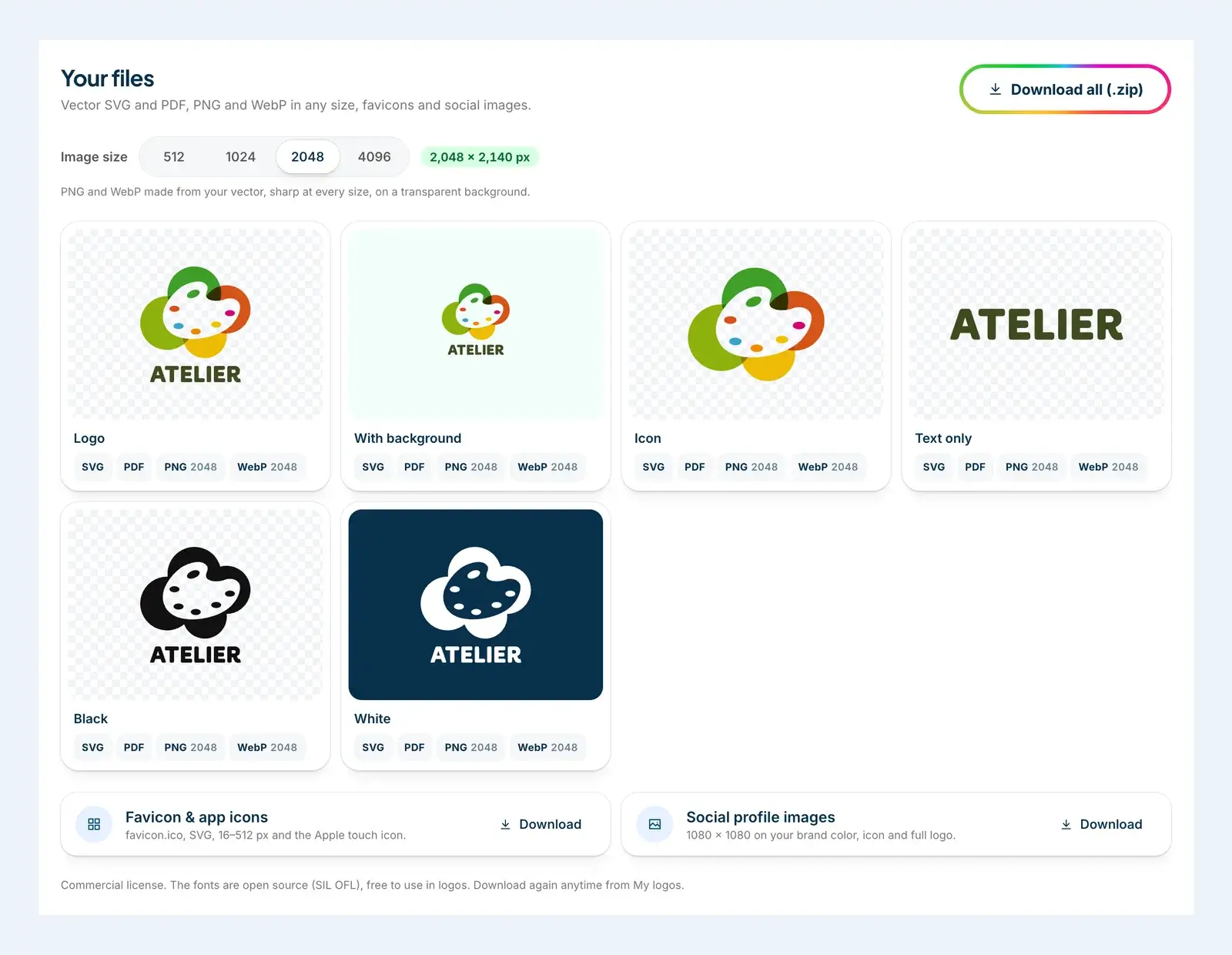
A logo made from one of our logo templates comes in every format for one price. You get the logo on a transparent background, the logo on its background color, a black version and a white one. When the design has both a symbol and a name, you also get each of them on its own. Every version comes as SVG, PDF, PNG and WebP, and you pick the PNG and WebP size, from 512 to 4,096 pixels wide.
A logo from our AI logo generator comes as the file you choose: a PNG, an SVG or both. The PNG is the original artwork at 2K, about 2,000 pixels, with a WebP copy. Most styles are drawn on a transparent background, while Neon, 3D Ice and Watercolor come on a backdrop of their own.
The SVG is a vector version of the same design, with a PDF, and PNG and WebP files in any size from 512 to 4,096 pixels. For painted or glowing styles, it's a detailed trace of the artwork rather than a few flat shapes, and a 3D look comes across best in the PNG. If you're torn between depth and a flat design, our comparison of a 3D logo vs a flat logo explains which file suits which job.
Every download also includes a favicon set (favicon.ico, an SVG favicon when there's a vector, icons from 16 to 512 pixels and the Apple touch icon) and two square profile pictures, 1080 pixels on each side. Download all puts everything in one zip, sorted into folders, with a short README that says which file to use where.
Your files stay in My logos, so you can download them again anytime. A template logo stays editable, so you can change the text, colors or layout and download the new version for free. An AI logo bought as an SVG opens in our editor too, where you can recolor, move, resize or remove its parts. Our pricing page lists what each option includes.
The short version
- PNG, WebP and JPG are made of pixels. SVG and vector PDFs are made of shapes and scale to any size.
- Use a transparent PNG or WebP on screens, and a vector for anything printed, cut, stitched or made large.
- Send printers a vector PDF or SVG, web developers the SVG and the favicon set, and sign makers the vector plus the one-color version.
- Keep a black, a white, a symbol-only and a name-only version before you need them.
- Run any logo file through the logo checker before you use it.
Still working on the logo itself? Our free logo maker lets you design and preview for free and pay only for the files you keep. Our guide to what a free logo maker gives you explains what to look for in any of them, and how to use a logo maker walks you through the editing step by step.
More Free logo maker guides
· 8 min read
Logo Size Guide: Dimensions for Web, Social and Print
What logo size to use on your website, favicon, social profiles, email and print, when a vector beats a PNG, and a cheat sheet to keep.
· 10 min read
Free Logo Maker: What You Can Make Without Paying
What a free logo maker really gives you, a checklist for judging one, and how to design a logo for free on DepthLogo and pay only for the files.