3D logo maker10 min read
How to Make a 3D Logo With an AI 3D Logo Maker
A step-by-step guide to making a 3D logo with AI, from a brief that suits depth and the right 3D style to colors that hold up and judging the light.
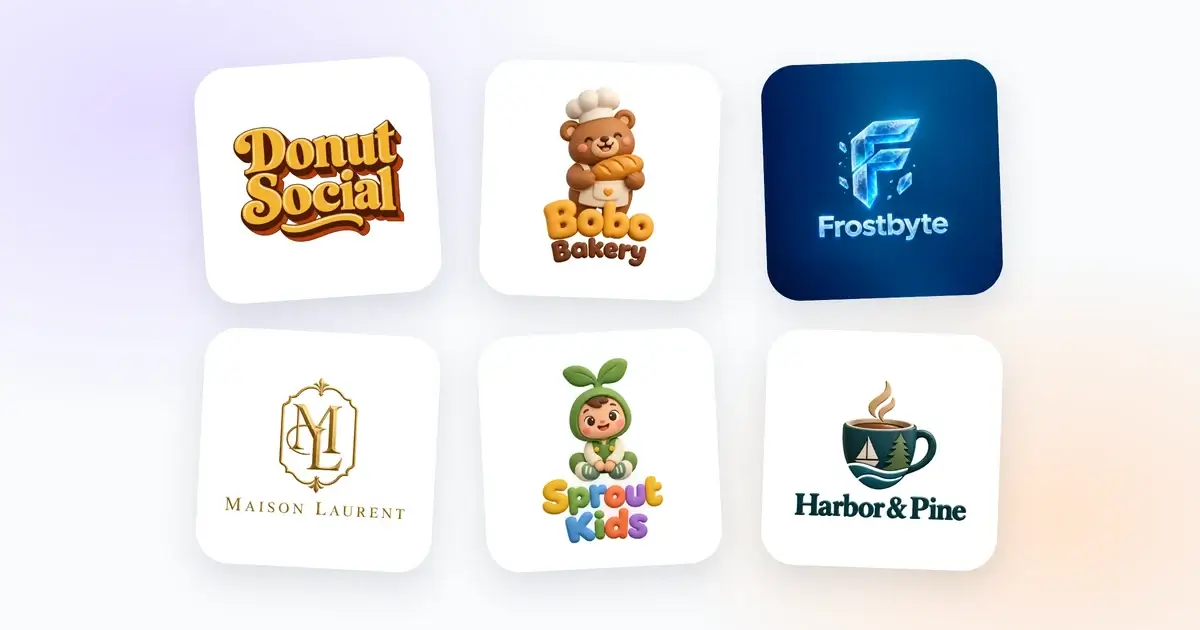
A 3D logo maker can give you something a flat logo can't: letters that look cut from a thick block, or a mascot that seems shaped from soft clay. People want to reach out and touch a logo like that. It also has more ways to go wrong, because depth brings light, shadow and material into the picture, and all three have to make sense at once.
This guide walks through making a 3D logo with the 3D logo maker on DepthLogo, from the brief to the files. The process is the same as for any AI logo, with a few extra checks that only matter once there's depth involved. If you've never made a logo with AI before, our guide to making a logo with an AI logo generator covers the basics. Here we'll stick to what changes when you want depth.
First, make sure depth suits your logo
Before you type anything, think about where your logo will spend most of its life. Depth looks best where it has room and color to show off: packaging, shop windows, social media, an app on a phone. It struggles where a logo has to be tiny, stitched or printed in a single ink: a browser tab, a polo shirt, a rubber stamp, a receipt.
That doesn't rule 3D out. It means most brands with a 3D logo also keep a flat version for those jobs. If you're torn between the two, our comparison of a 3D logo vs a flat logo goes through it place by place. It's worth reading before you print a single business card.
Write a brief the light can work with
The brief is the few lines you fill in before you generate: your brand name, a field that asks "What should it show?" and a few optional extras under More options. For a 3D logo, each of them matters a little differently.
Start with the name, written exactly the way you want it to appear. Short names make better 3D logos. Depth makes every letter take up more room: each one gets an extrusion, the side you'd see if the letter were cut from a thick block, and often a bevel, the sloped edge that catches the light. "Copper Kettle" has room for all that. "The Copper Kettle Tea Room & Bakery" makes every letter so small that its depth turns to mush.
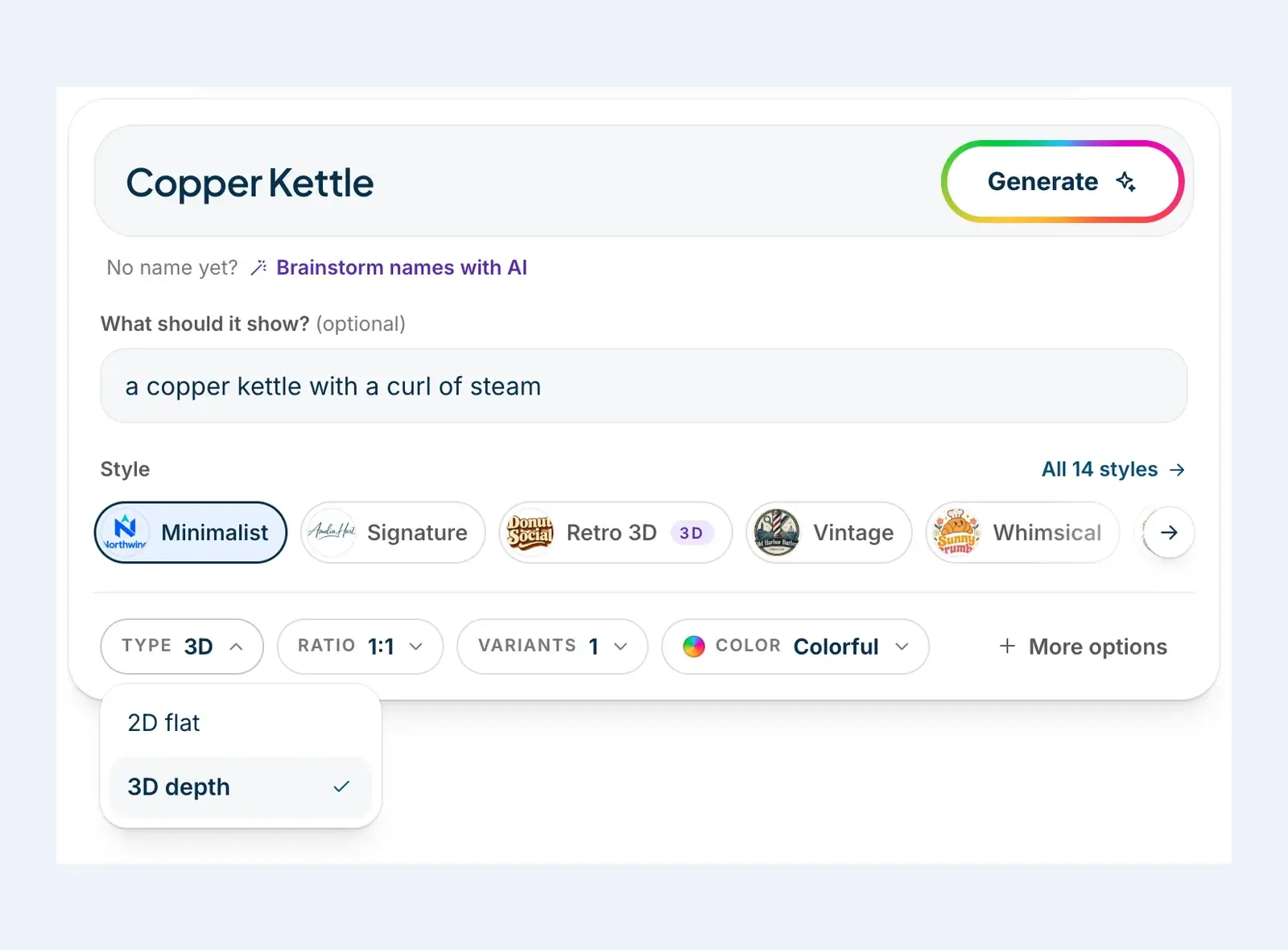
Then the description, which is where a 3D logo is won or lost. Depth needs something solid to work on, so describe one physical object with a real shape: a kettle, a cup, a bear, a key, a mountain. Material words help too. "A copper kettle with a curl of steam" tells the generator what to draw and how the light should behave on it, in eight words. Abstract ideas like "growth" or "trust" give it nothing to shape and nothing to light.
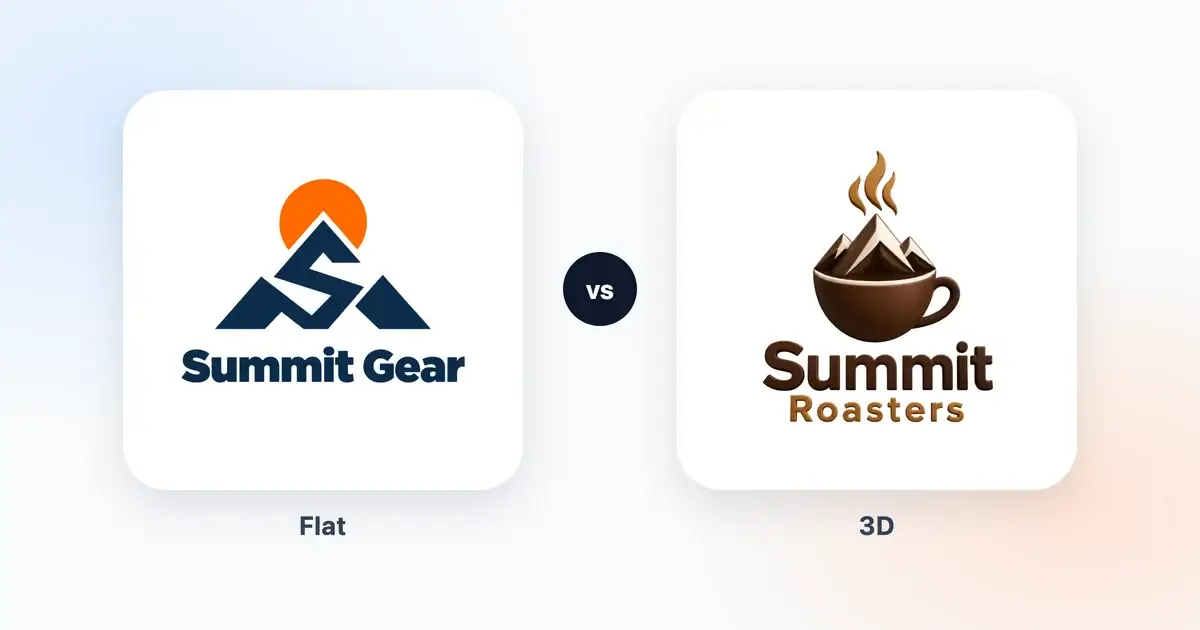
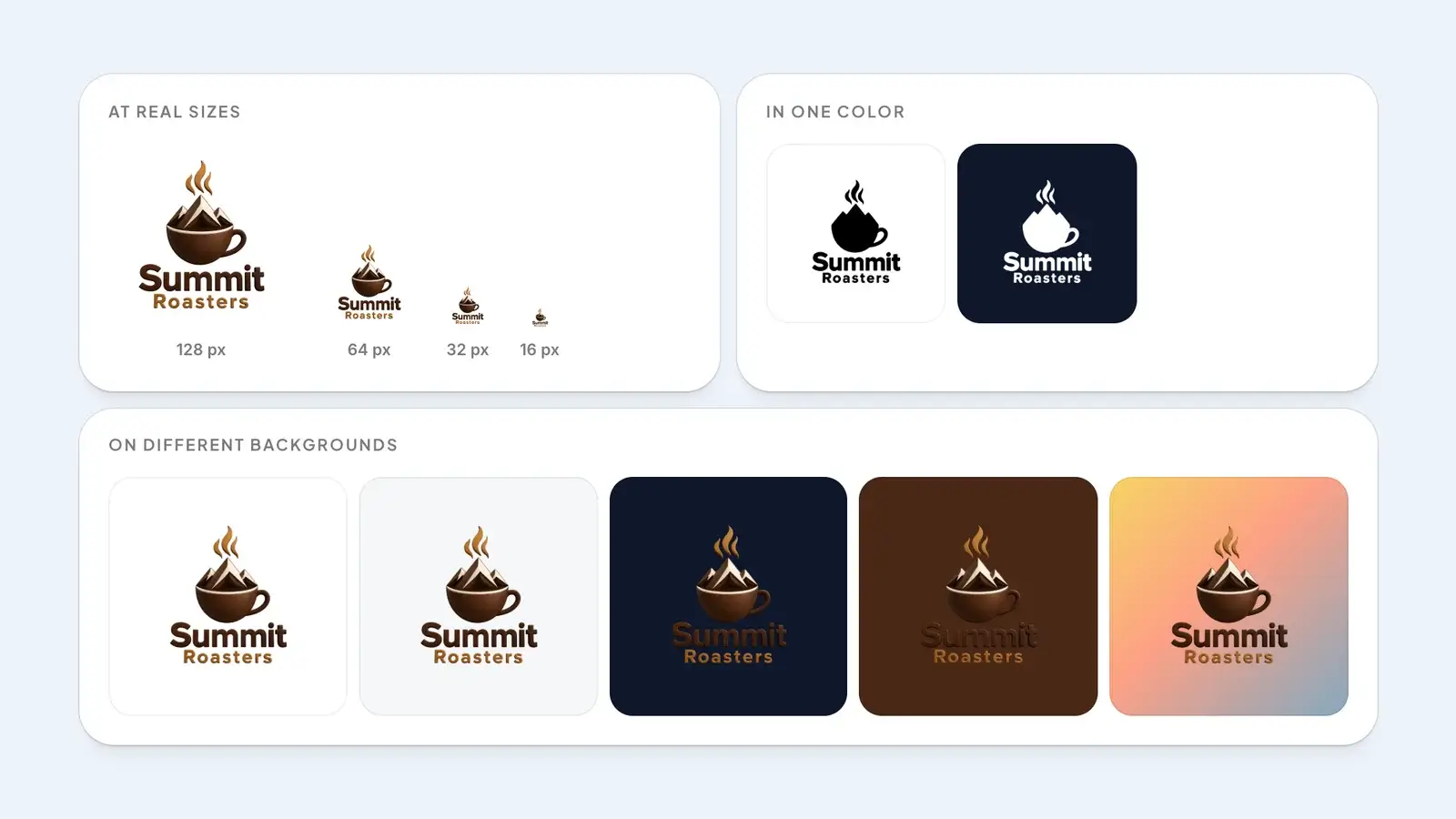
You can also leave the description empty. The generator then works from your name and your industry, which you'll find under More options. That's how our Summit Roasters logo came about: the whole brief was the name and the Coffee Shop & Cafe industry, and the generator came up with a glossy cup holding snowy mountains.
Last comes the slogan. In a 3D logo, small text suffers more than anything else, because a bevel or a shadow on a tiny letter turns into a smudge. If you add one, keep it to two or three words. Often the better move is to leave it out of the logo and set it next to the logo in plain type, wherever you need it.
Pick a 3D style, or turn on depth
There are two ways to get depth in our generator, and it helps to know both.
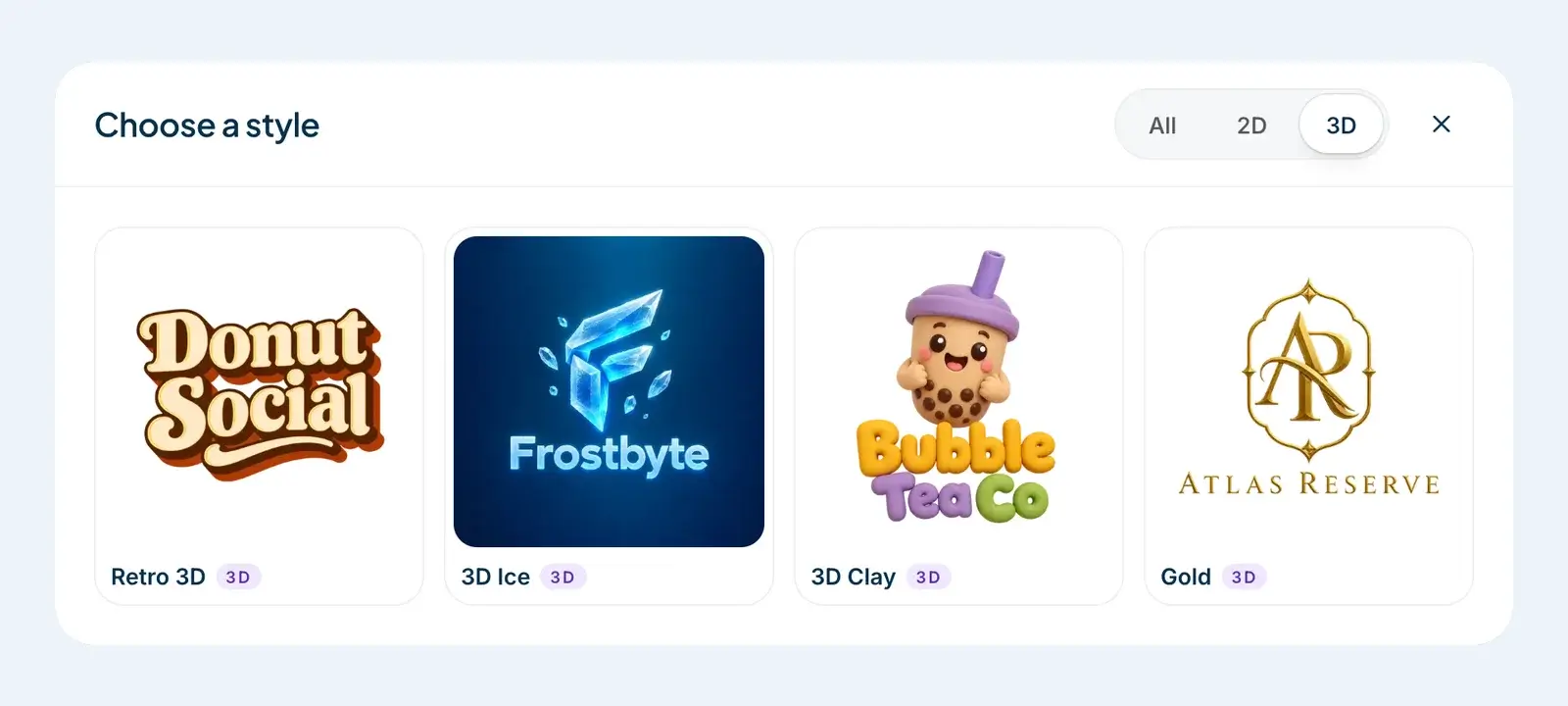
Four styles are always 3D. Open "All 14 styles" and switch the filter to 3D to see them side by side:
- Retro 3D is all about the name. Chunky serif letters are pushed out into deep blocks, in warm 1970s colors like mustard, burnt orange, cream and chocolate brown. It won't add a picture unless you describe one, and then it keeps the picture small beside the lettering.
- 3D Ice carves your logo out of ice and frosted glass, with a cool blue glow and a few floating crystals. It's the one 3D style that comes on its own background, deep blue by default, because ice needs something behind it to glow.
- 3D Clay is built around a cute character that looks sculpted from soft, matte clay, above puffy, rounded letters. Think of a bakery bear holding a loaf, or a bubble tea cup with a face.
- Gold interlocks your initials in polished, embossed gold inside a thin ornamental frame, with the name set below in widely spaced serif letters.
Pick one of these four and the Type setting locks to 3D, since there's nothing to switch.
The other ten styles have a Type setting with two choices, 2D flat and 3D depth. Turn on 3D depth and the style keeps its character but gains volume, shading and lighting, drawn from the front so the name stays easy to read. Our Summit Roasters and Harbor & Pine logos are both the Minimalist style with 3D depth turned on.
Our honest advice: depth suits styles built from solid shapes, like Minimalist, Mascot or Whimsical. Styles that are mostly lines, like Signature or Scribble, give the light very little surface to land on, so we'd usually leave those flat. If you want to see what depth looks like across different businesses before you choose, browse the 3D filter in our logo ideas.
Choose colors with the shading in mind
In a flat logo, one color is one color. In a 3D logo, every color comes in several shades: a lit side, a shadow side and a bright highlight where the light hits hardest. Pick two colors and your logo may end up showing eight. That's why a short list works best here. Two base colors is plenty, three at the most.
If you already have brand colors, enter them as your own colors. You can add up to three, and the design is built around them. If you don't have any yet, the palettes are a good place to start. Black & Gold suits the Gold style, and Colorful lets each style bring its own palette, like the browns and oranges Retro 3D is known for.
Be careful with dark colors. The shadow side of navy or dark brown is close to black, so a dark logo can melt into a dark background. You'll see exactly that in the Summit Roasters picture further down. Choose a main color with enough light in it that its shadow side still stands apart from the backgrounds you plan to use.
The Light theme gives you soft, airy colors. Dark gives you bright ones made to stand out on black, which is exactly what you want if your logo will mostly sit on dark backgrounds. For 3D Ice, both themes change its background too. B&W is the one setting that works against depth: pure black and white leaves no room for shading. Save it for the flat, one-color version of your logo, which you'll want sooner or later anyway.
Judge the results before you fall for one
When your designs come back, they're previews with a watermark, so there's no rush. You can look at each one on a transparent, white, dark or brand-color background. Take your time, because a 3D logo needs a few more checks than a flat one.
Shrink it first. At small sizes the depth goes before anything else: the highlights and bevels disappear, then the thin gaps between letters, long before the main shape does. Zoom out until the logo is about the size of an app icon and ask yourself whether you'd still recognize it. Our free logo checker does this for you, showing your logo at 128, 64, 32 and 16 pixels.
Then follow the light. In a good 3D logo, the light comes from one place. The highlights sit on the same side of every letter and every shape, and the extrusions all fall the same way. If the S is lit from the top left and the K from the right, people sense that something's off, even if they can't say what. Round letters like O, C and S make it easy to check: the shine should sit in the same spot on each of them.
Read every letter, too. Depth can join letters that should stay apart, and an extrusion that fills the gap between an r and an n turns them into an m. We spell your name out letter by letter for the image model, which helps a lot, but read it yourself anyway, slowly.
Try it on the backgrounds it will really sit on. Switch the preview to dark and to your brand color, and picture the actual places: a dark website header, a kraft paper bag, a photo on Instagram, the side of a delivery box. Apart from 3D Ice, our 3D styles come on a transparent background with no shadow baked in underneath, so the logo itself sits cleanly on any color. Its darkest parts can still fade into a dark one.
Finally, ask whether the material fits the business. Clay feels playful, which is lovely for a bakery or a toy shop. Gold feels formal and a little expensive. Ice feels cool and technical. A clay bear on a law firm's letterhead sends a very mixed message.
If a design isn't right, change one thing and try again. "More like this" makes another design from the same brief, and a sharper description is usually the bigger lever: a more specific object gives the light a better surface to work with. Your first AI design is free, and after that new designs come from a pack, so it's worth making each round count. Our pricing page has the details.
Download the files that keep the depth
To get a logo without the watermark, you buy that one logo, or download it with a pack. Either way, a 3D design costs the same as a flat one. Before you choose a file, it helps to know what each one does with depth.
A PNG is an image made of pixels, and it's where a 3D logo looks its best: every highlight, shadow and reflection comes through exactly as it was drawn. Ours is high-resolution artwork on a transparent background (3D Ice keeps its own), and it comes with WebP files for fast websites, favicons, app icons and social profile images. When you download a 3D design, we mark the PNG option "Best for 3D".
An SVG is a vector. Instead of pixels, it stores shapes, so it stays sharp at any size. You can buy any design as an SVG, 3D ones included. We trace it from the artwork, so a 3D logo comes through as lots of small shapes that follow its light and shadow. It's sharp on a banner, and it opens in our editor, where you can change its colors and move, resize or remove its parts. What it isn't is a flat logo. It's still a picture of a 3D object.
If you want both, PNG + SVG gives you the same design in both files. Our guide to logo file formats explains what each file in the download is for, and which one to send a printer.
For the jobs depth can't do, like embroidery or a rubber stamp, make a flat version on purpose. Keep the same name and description, set Type to 2D flat, and generate again. If your 3D logo uses one of the four 3D-only styles, pick another style for the flat one. The two won't be identical, because the AI draws each design fresh, so describe the picture precisely if you want them close.
The short version
- Check that depth suits the places your logo will live, and plan a flat version for the rest.
- Keep the name short and describe one solid object, with a material if it helps.
- Pick Retro 3D, 3D Ice, 3D Clay or Gold, or set Type to 3D depth on another style.
- Use two base colors, and make sure the shadow side still stands out on dark backgrounds.
- Judge it small, follow the light, read every letter and try it on its real backgrounds.
- Download the PNG for the full 3D look, and a flat version for print and stitching.
A good 3D logo isn't the shiniest one. It's the one where the light makes sense and the depth helps the brand instead of showing off. You'll find more on depth, light and materials in our 3D logo maker guides. When you're ready, open the AI logo generator and start with your name.