3D logo maker guides
How to make a 3D logo with an AI logo maker: picking a 3D style, getting depth, light and materials right, and making sure the logo still reads at favicon size.
Make a 3D logo3D logo maker articles
· 8 min read
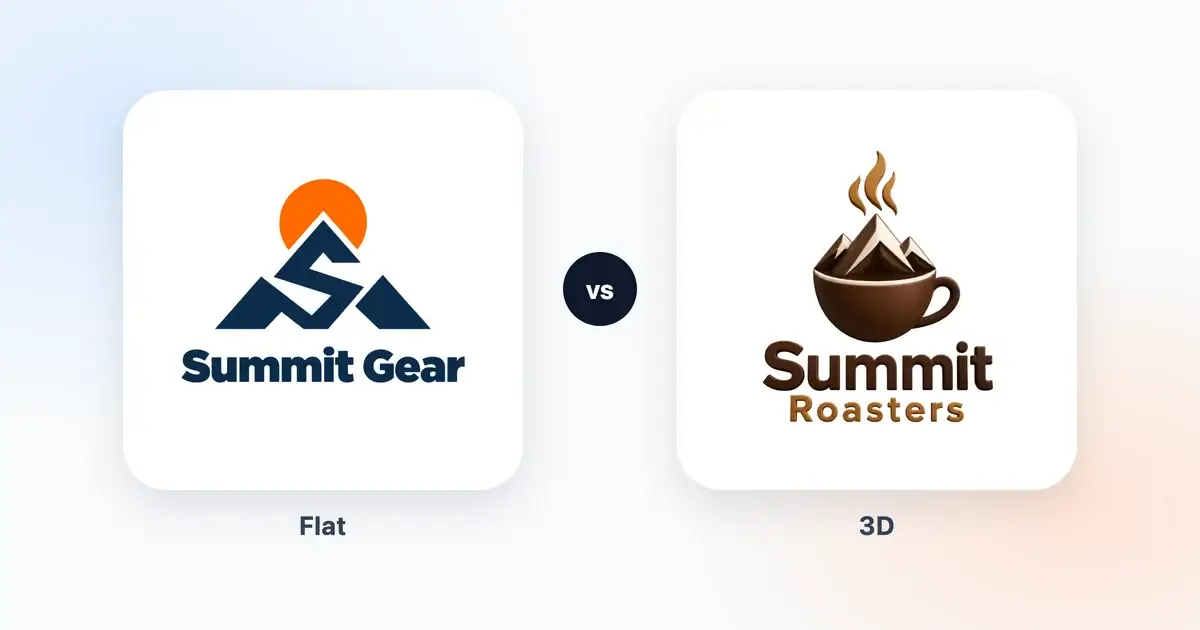
3D Logo vs Flat Logo: When Depth Helps a Brand
An honest look at 3D and flat logos, with real examples. Where depth helps a brand, where a flat logo works better, and how to have both versions.

· 10 min read
How to Make a 3D Logo With an AI 3D Logo Maker
A step-by-step guide to making a 3D logo with AI, from a brief that suits depth and the right 3D style to colors that hold up and judging the light.
How to judge a 3D logo
A 3D look either convinces you or it doesn't, and the difference usually comes down to a few details you can learn to spot. Before you fall for a design, look at it closely:
- The light should come from one side. If one letter is lit from the left and the next from the right, the logo looks pieced together, even if you can't say why.
- The depth should leave the front readable. The front faces carry the name, so if the sides of the letters grow deep enough to crowd them, the name gets harder to read.
- The holes in letters like a, e and o should stay open. Shading tends to fill them in, especially once the logo is small.
- The edges should be clean. Put the transparent PNG on a dark background, and a pale fringe or haze around the shapes shows up at once. We remove stray haze before you see a design, but check anyway.
- The view should be straight on. A logo that faces you sits well on a business card, a website header and a shop sign. A tilted one looks right in one place and odd in the rest.
Getting a better result from a 3D logo maker
Our 3D logo maker gets depth in two ways: four styles that are always 3D (Retro 3D, Gold, 3D Clay and 3D Ice), and a 3D depth setting on the others. A few things help with all of them.
Keep the symbol simple. One object with a clear outline gets the most out of light and shade, while a busy scene turns into a jumble of highlights. A cup, a letter or an animal's head works better than a whole landscape.
Name a material when it matters to you. The description says what the symbol shows, so "a ceramic coffee cup" or "a wooden rocking horse" gives the AI a finish to aim for.
Use fewer colors than you would in a flat logo. Shading already adds lighter and darker tones of every color, so two or three base colors are plenty.
Compare it with a flat version. For styles with the setting, run the same brief once in 2D flat and once in 3D depth, then look at both small. Some ideas come alive with depth, and others only get busier. Our 3D logo ideas show what tends to work. Whichever you pick, put the files through our free logo checker, which shows how the 3D version looks at 32 pixels, the size of a browser-tab icon.
For the full process, read how to make a 3D logo, and 3D logo vs flat logo weighs up the two for your kind of business. The AI logo maker guides explain how the AI builds each design from your brief.