Logo creatorUpdated 7 min read
Logo Creator Tips: How to Choose a Font for Your Logo
How to choose a logo font in a logo creator. What bold, thin, serif and script letters say about a business, how to test them small, and when to stop at one.
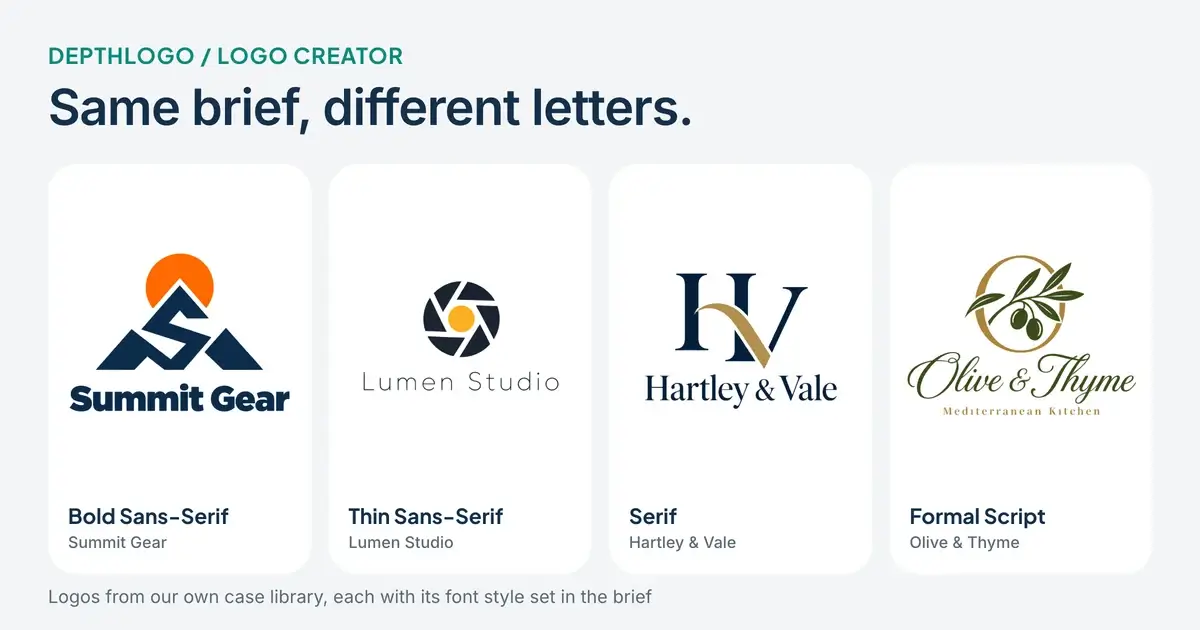
Ask people what makes a logo and most will point at the symbol: the mountain, the camera, the olive branch. Then look at a logo from across the street, or as a tiny icon on a phone, and you'll notice the letters doing most of the work. In any logo creator, the font is one of the first things you choose and one of the easiest to get wrong, usually because it looked nice in a list of names.
This guide is about choosing that font on purpose. We'll use real logos from our own case library, each made with the font style set in the brief, so you can compare the letters directly instead of imagining them. Then we'll go through the tests we use before settling on a font, and the two places you can choose one on DepthLogo.
What each kind of lettering says
Fonts fall into a few broad families, and each one carries a first impression before anyone reads a word. It helps to know the families by sight, because the names in a font menu don't tell you much on their own.
Sans-serif letters have no small feet at the ends of their strokes. A bold sans-serif feels sturdy and direct: Summit Gear, an outdoor clothing brand, uses one under a mountain shaped like an S, and you could read it from the other side of a shop. A thin sans-serif says something quieter. Lumen Studio, a photography studio, pairs a camera aperture with light, widely spaced letters that feel calm and a little like a gallery wall.
Serif letters have those small strokes at the ends, and they've been printed in books and on legal papers for centuries. That history is why they read as established and careful. Hartley & Vale, a law firm, uses a classic serif under an H and V monogram, and the ampersand in the middle does a lot to make the name feel crafted.
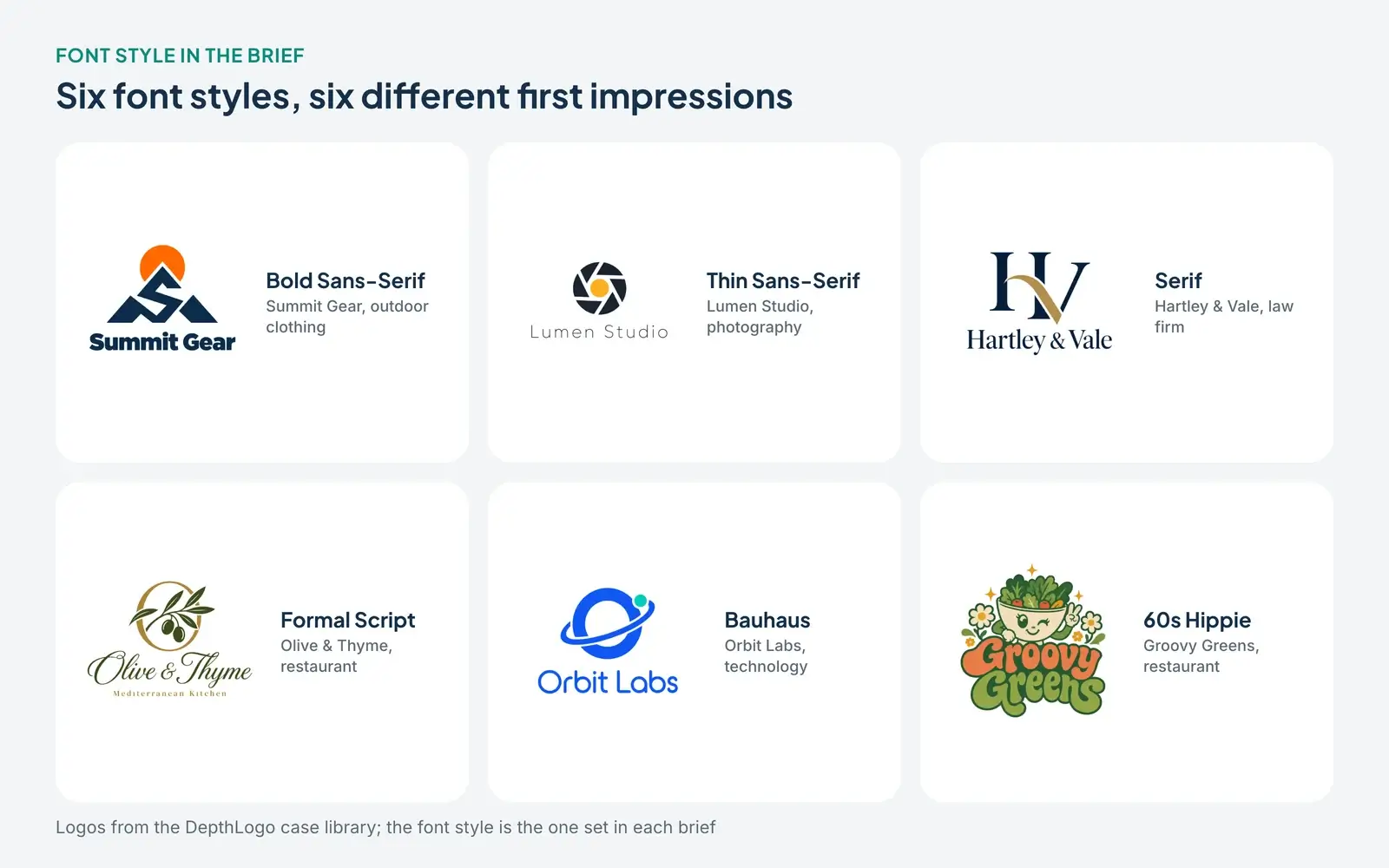
Script letters look written by hand, and they bring warmth and a personal touch. Olive & Thyme, a Mediterranean restaurant, uses a formal script that feels like a menu written in ink. Scripts are lovely when there's room for them, and we'll see in a moment why that matters.
Then there's everything else, sometimes called display lettering. These styles are built for character more than reading comfort. Orbit Labs, a technology company, uses round geometric letters in the Bauhaus manner, and Groovy Greens, a restaurant, asked for the 60s Hippie style and got swirly letters that look like a festival poster. Display letters are memorable, and they work best with short names, because their personality gets tiring over a long line.
Read your own name in it
A font that looks great in a sample sentence can look odd with your name in it. The only real test is to see your actual name in the font, at the size you'll use it.
Some combinations are worth watching for. Long names get crowded in heavy or wide fonts, so a name like "Blue Harbor Realty" usually needs a lighter or narrower face than "Orbit". Script fonts get hard to read in all capitals, because the capital letters were designed to start a word, not to stand next to each other. Double letters, like the two Ls in "Hill", can merge in some scripts. And ampersands differ a lot between fonts: some are elegant, some look like a pretzel, and yours will sit right in the middle of the name if you have one.
Say the name out loud while you look at it, too. A playful font on a serious name, or a stiff font on a playful one, is easy to spot once you hear the name and see the letters together. If something feels off and you can't say why, try two other fonts from the same family before you change family entirely.
Run the small-size test
Most logos spend most of their life small, as a favicon in a browser tab or a profile picture next to a comment. Fonts don't shrink equally, and the difference shows up long before the logo gets truly tiny.
We took three of the logos above and shrank them to 160, 96 and 48 pixels wide. That's roughly the range between a website header and a social profile picture.
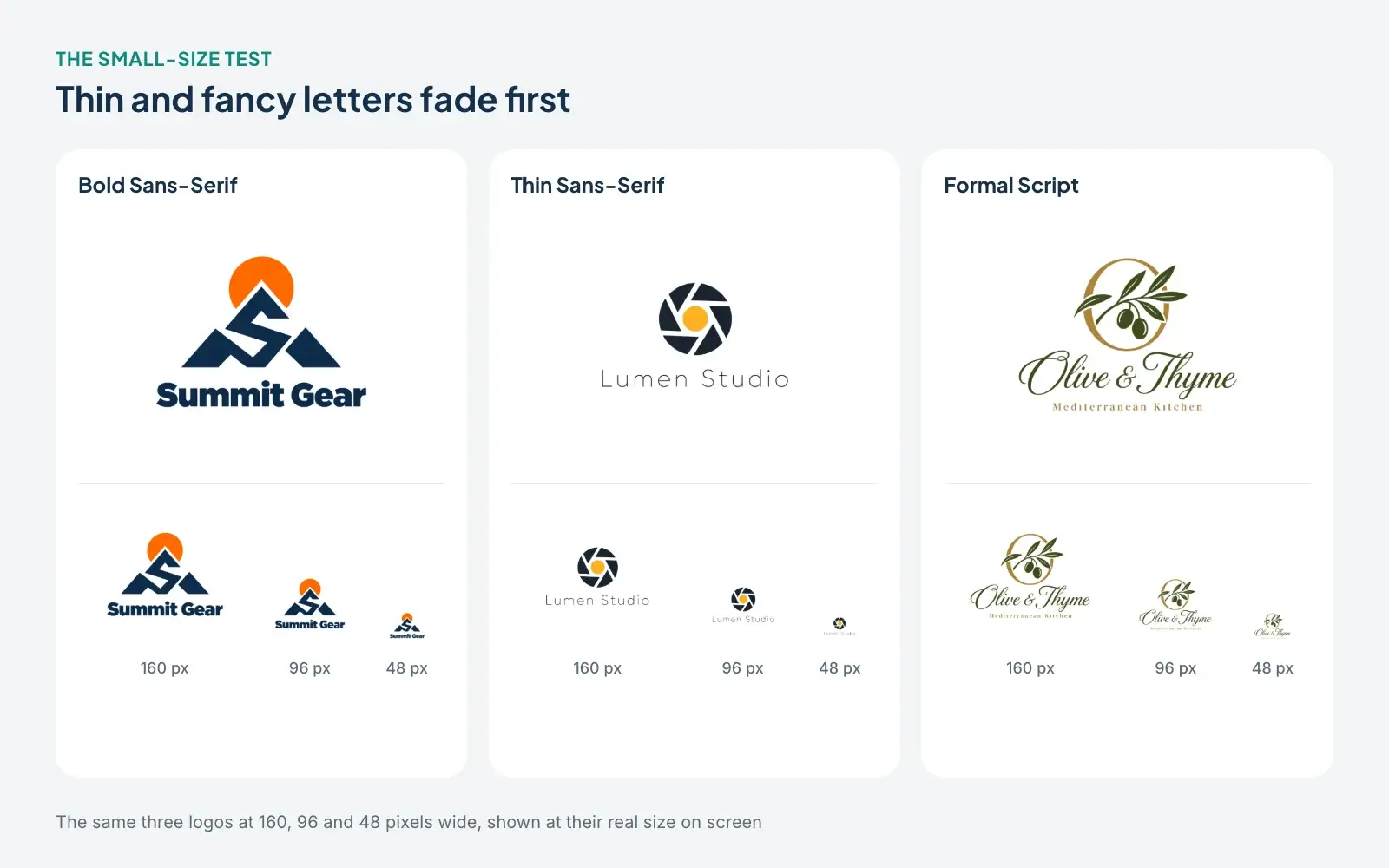
The bold sans-serif holds up best: "Summit Gear" is still readable at 96 pixels. The thin letters of "Lumen Studio" turn into a faint grey line, and the script of "Olive & Thyme" becomes a squiggle with a small slogan you can no longer read at all. None of this makes thin or script fonts wrong. Lumen Studio's logo is lovely on a print or a website hero. It just means that brand needs a second version for small places, usually the symbol on its own.
You can run this test on any logo with our free logo checker. It shows your file at 128, 64, 32 and 16 pixels, on light and dark backgrounds and in one color, which is a quick way to find out whether your font choice needs a backup version.
Spacing does as much as the font
Two logos can use the same font and look completely different because of spacing. Letter spacing (designers call it tracking) is the space between all the letters at once. Tighter spacing makes a name feel compact and confident; wider spacing makes it feel open and calm.
Lumen Studio is a good example of wide spacing doing the work. The letters are thin, but the generous gaps between them make the name feel deliberate rather than weak. Small slogans almost always benefit from extra spacing too. Look at "Mediterranean Kitchen" under Olive & Thyme: small capital letters, spread out, so they stay legible next to the busy script above them.
If your name runs on two lines, line height matters as well. Too much space between the lines and the name splits into two separate words; too little and the descenders of the first line, the tails of letters like g and y, bump into the capitals below.
Usually one font, two at most
Many good logos use a single font for everything. If you add a slogan or a small line like "Coffee Roasters", a second font can help, but only if it's clearly different from the first. A script name with small spaced capitals underneath works because the two jobs are obvious. Two similar sans-serifs side by side just look like a mistake.
Three fonts in one logo is almost always one too many. Each font asks the reader to adjust, and a logo only gets a second or two of attention.
Choosing a font on DepthLogo
There are two ways to pick lettering here, depending on how you're making the logo.
In the AI logo generator, open "More options" and use Font style. There are 22 styles to choose from, plus Auto, which lets the logo style decide. The menu writes each option in its own lettering, so you can see the difference between, say, Classic Serif and Roman Capitals before you pick one.
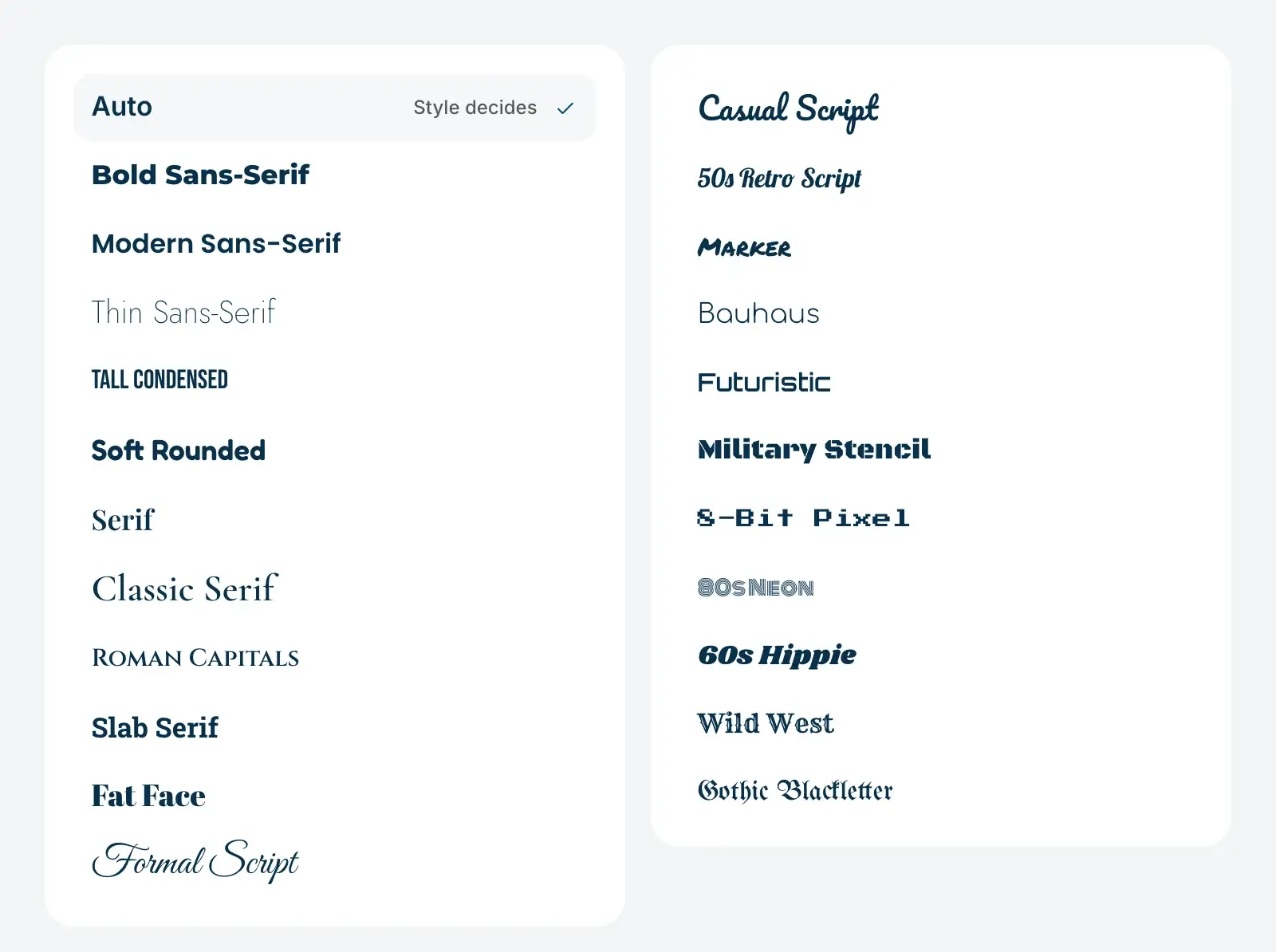
Keep in mind that the AI draws the letters itself, as part of the picture. A font style tells it what kind of lettering to draw, not which exact font file to use, so two logos with the same font style won't share an identical typeface. All six logos in the comparison above were made this way. If you want to see how the other fields of a brief shape the result, we walk through real briefs from our AI logo maker in a separate article.
In our template logo creator, you work with real fonts instead. Pick a design from the logo templates, select the name in the editor and choose a font from the list, where you can search by name. You can then set the size, the letter spacing and the line height, and give the slogan a different font if you like. Because these are actual fonts, the letters stay exactly the same in every file you download. Template fonts cover Latin letters, including accented ones; for names in other scripts, the AI logo generator is the better choice.
Mistakes we see most often
The most common one is choosing a font for its name in a menu instead of for how it looks with your name in it. A fancy script sounds right for a bakery until you see a short name like "Bobo's" turn into loops nobody can read.
The second is falling for a thin or delicate font without planning for small sizes. It's fine to love a thin font, as long as you also have a bolder version or a symbol for favicons and profile pictures.
The third is trend chasing. Display fonts that feel fresh today can look dated in a few years, while a well-chosen serif or sans-serif can last for decades. If your brand needs a playful font, give it a short name to work with and use a calmer font for everything else on your website and packaging.
And finally, too many fonts. One for the name, maybe a second for the slogan, and stop there.
The short version
Choose the font family first: bold sans for sturdy, thin sans for calm, serif for established, script for personal, display for character. Then judge it with your own name in it, at the sizes you'll really use. Space the letters on purpose, keep to one or two fonts, and plan a simpler version if your favorite font doesn't survive the small-size test. If you're still unsure, browse the lettering in our logo ideas gallery and note which names you can read at a glance. Colors come next, and our logo maker color guide treats them the same way.