Logo maker8 min read
Logo Size Guide: Dimensions for Web, Social and Print
What logo size to use on your website, favicon, social profiles, email and print, when a vector beats a PNG, and a cheat sheet to keep.
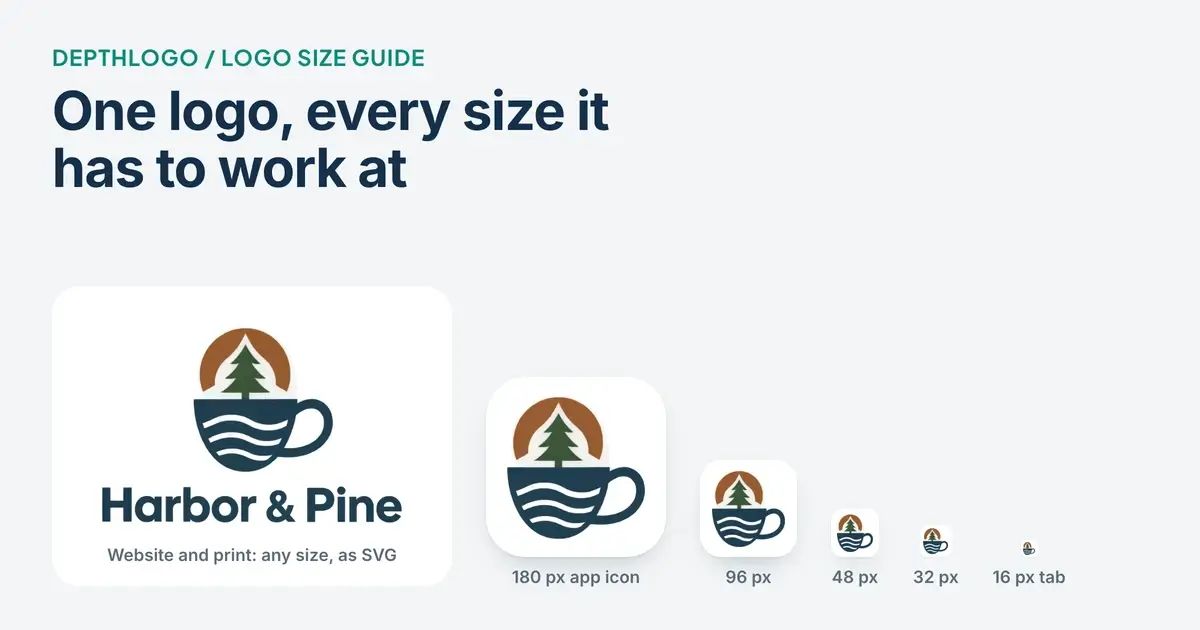
Ask a designer for the right logo size and you'll get a question back: where is it going? The same logo has to work as a 16-pixel icon in a browser tab and as a sign above your door, and no one file does both well. So you need a few versions at known sizes, and one idea settles most of the questions: whether a file is made of pixels or of shapes.
Below, we go place by place. The cheat sheet near the end has just the numbers.
Pixels or shapes: why there isn't one logo size
A PNG, JPG or WebP file is a grid of tiny colored squares called pixels, and the grid has a fixed size. A logo saved 1,024 pixels wide has 1,024 columns of them, and that's all it will ever have. Shrink it and it looks fine. Enlarge it and the computer has to invent pixels that were never there, so the edges go soft.
An SVG, or a PDF made from vector shapes, stores your logo as lines and curves described with math. It's redrawn at whatever size it's shown, so it's as sharp in a browser tab as on the side of a van.
So anything printed, and anything big, should come from a vector. Screens are where pixel files live, and many places only accept them: YouTube and LinkedIn take PNG and JPG for profile pictures, not SVG. For a pixel file, find out how big it will be shown and give it a bit more. Our guide to logo file formats explains each format.
Logo sizes for your website
The header logo
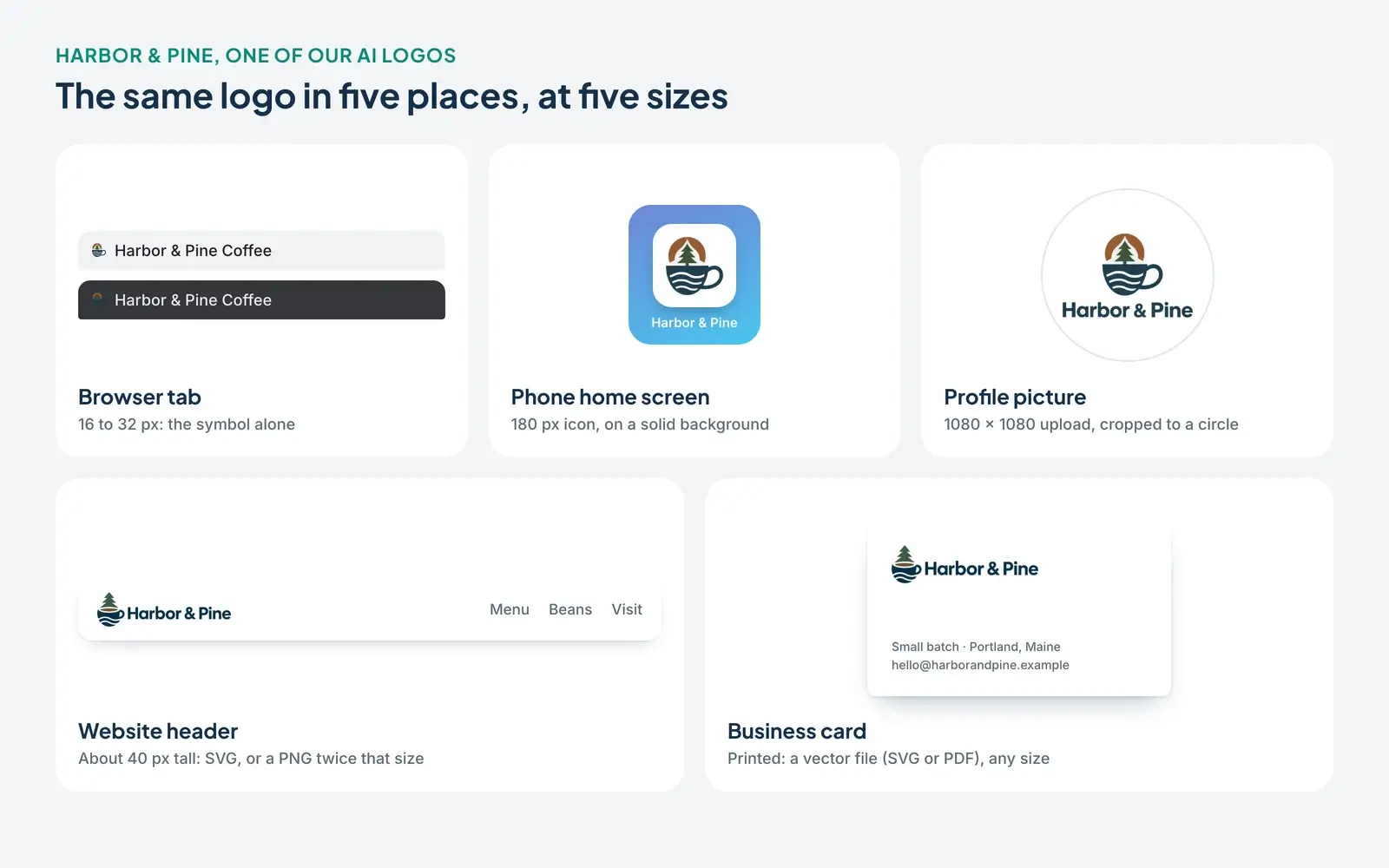
The logo at the top of a website usually shows around 30 to 60 pixels tall. But the pixels a web page is measured in aren't the dots on your screen: phones and many laptops use two or three dots for each one. A logo shown 40 pixels tall is drawn with 80 dots or more.
So give the header twice the size it's shown at. For a wide logo shown at 160 × 40, export a PNG or WebP of 320 × 80. Honestly, the SVG is better still: sharp on every screen and usually a small file. A 4,000-pixel PNG won't look any sharper, and if your website builder doesn't shrink it, your page loads slower.
Favicons and home-screen icons
A favicon is the tiny icon in a browser tab, shown at 16 pixels, or 32 on sharper screens. That's why a favicon.ico file usually holds 16, 32 and 48 pixel versions. At 16 by 16 the whole icon is 256 pixels, so a name turns to mush: use the symbol or an initial. We'd take a clear initial over a blurry miniature every time.
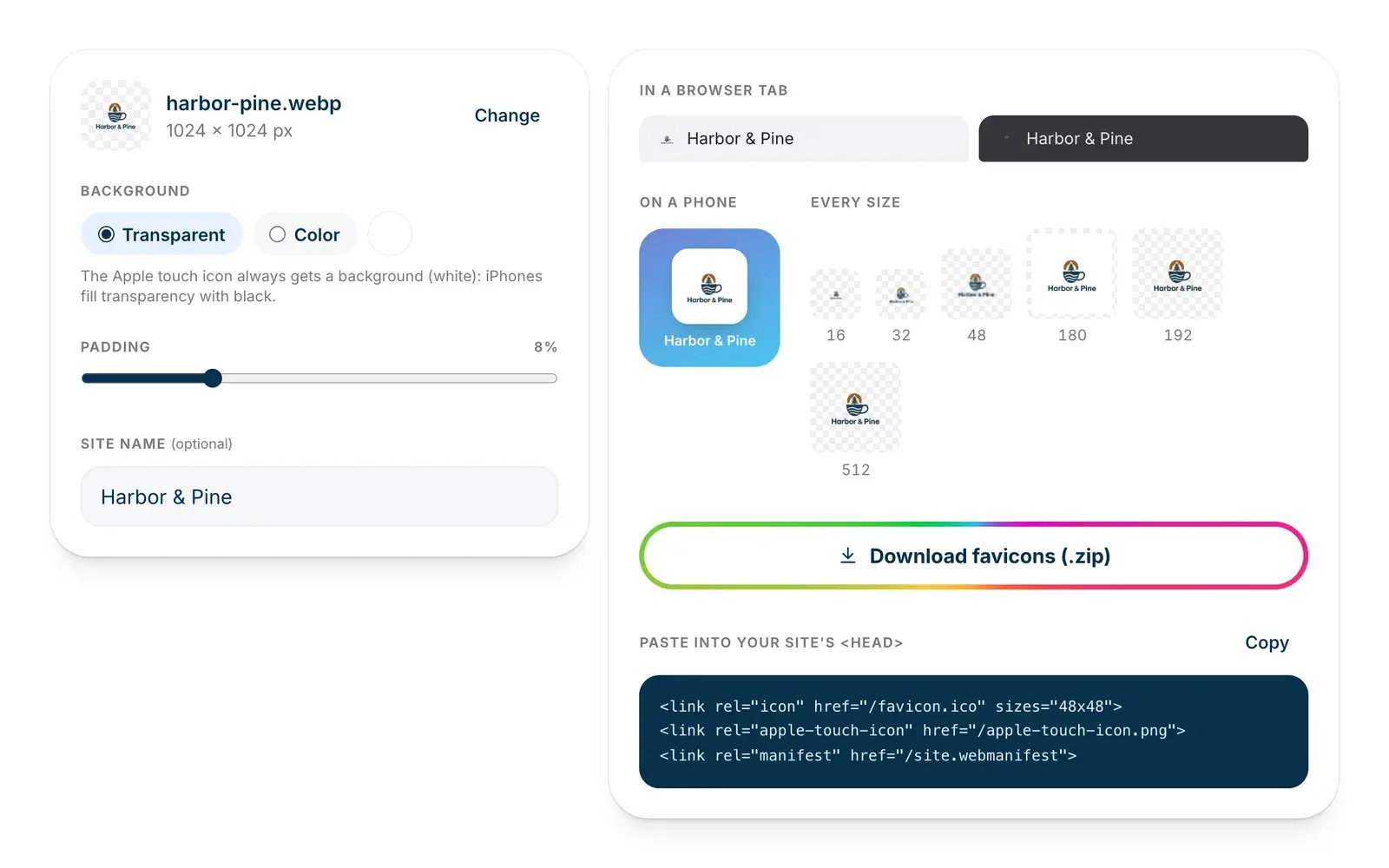
Phones want bigger icons. The one an iPhone shows on its home screen is called an Apple touch icon, and Apple's guide for web developers uses 180 × 180 pixels for it. Give it a solid background, because an iPhone fills transparent areas with black. Android phones, and sites installed as apps, use icons of 192 and 512 pixels: Google's guide to web app manifests says Chrome needs at least those two.
Our free favicon generator makes the whole set from your logo image, plus a web manifest (the small file that tells phones where the big icons are) and the HTML to paste into your site. It runs in your browser, so nothing is uploaded.
The share image
When someone shares a link to your site on Facebook or in a messaging app, a preview picture appears with it. Web developers call it the Open Graph image, after the code that sets it, and Facebook's guide for websites recommends at least 1200 × 630 pixels. It's a picture with your logo on it, not a logo file: center the logo on your brand color with room around it, since not every app shows the full rectangle.
Social media profile pictures
Profile pictures are square uploads, often shown as a circle: large on your profile, tiny beside a comment. YouTube's help page says the channel picture renders at 98 × 98 pixels, and LinkedIn's suggests 400 × 400 for a company Page logo. These numbers change, so the safe choice is a big square: we give you 1080 × 1080, and each platform shrinks it to what it needs.
What goes in the square matters more than its size. Put a logo four times as wide as it is tall into YouTube's 98-pixel circle and it can be at most about 24 pixels tall, with the letters smaller still. Use the symbol or your initials, or a stacked version with the symbol above the name.
Then leave room for the circle, which cuts off the corners: a square symbol only fits inside it if it's no wider than about 70 percent of the picture. In the profile picture we make from your icon, it sits in the middle 60 percent, on a solid background. That's safer than transparent, which may land on white in one app and on a dark theme in another.
Covers and banners
Covers and banners are wide, and each screen shows a different slice of them. YouTube's help page asks for a banner of at least 2048 × 1152 pixels, which a TV can show whole, and marks a strip of 1235 × 338 in the middle as the safe area for text and logos. Treat other covers the same way: logo in the middle, nothing important near the edges.
Email signatures
In an email signature, a logo usually shows around 150 to 200 pixels wide. Use a PNG of about twice that, 300 to 400 pixels wide, set to show at the smaller size. Skip the SVG, which many email programs won't show.
Some email apps hide images until the reader allows them, so put your name and website in plain text too. And check dark mode: a transparent logo with dark lettering can vanish on a dark background. If it does, use the version with a background.
Logo size for print
Print is measured in inches or centimeters, so a pixel file needs a conversion: pixels per inch. The rule of thumb for things seen up close, like business cards and flyers, is 300 pixels per inch. A logo printed 2 inches wide needs about 600 pixels. In metric that's about 120 pixels per centimeter, so 5 centimeters needs about 600 too. By that rule, a 4,096-pixel PNG prints sharply up to about 13.6 inches (35 cm) wide: plenty for a flyer, not for a shop sign.
The better answer is a vector. Business cards, letterhead, signs and merchandise all print best from an SVG or a vector PDF, which the printer can scale to any size.
Some jobs need a one-color version too. Embroidery stitches each color in its own thread, and stamps, engraving and vinyl lettering use a single color. Keep a black and a white version ready; our guide to choosing logo colors shows how to plan for them.
Find the smallest size your logo still works at
Every logo has a size below which it stops working. Shrink yours to 32 pixels, then 16, and look at it without zooming in. If the name turns into a smudge, that's the limit for the full logo, and below it the icon takes over. Brand guidelines write this down as the minimum size.
It's also why a logo needs versions for different shapes. A wide one, with the symbol beside the name, suits headers and email signatures. A stacked one suits square spots, and the icon alone covers favicons, app icons and profile pictures. Without them, a wide logo in a square spot shrinks to a thin strip.
Our free logo checker tests both. It shows your logo at 128, 64, 32 and 16 pixels, checks how much detail survives at 32 and flags logos too wide or too tall for a square. Our guide on what to fix before you use your logo explains each finding.
Leave room around it
Clear space is the empty margin around your logo that nothing else should enter. Set it with a part of the logo, like the height of the first letter, so it grows and shrinks with the logo. Our logo files are cropped close, with a thin margin, so you add the clear space where you place them.
In square spots, margin is a trade-off: a 16-pixel tab can't spare a pixel, while a home screen rounds off the corners and a circle cuts them away. So in our downloads the icon nearly fills the small favicons and gets a wider border on a solid color at 180, 192 and 512 pixels.
What a DepthLogo download gives you
If you make your logo with us, most of these sizes come in the download.
A logo from our logo templates is free to edit, with no account, and you pay once to download it. You get SVG, PDF, PNG and WebP, with the PNG and WebP at 512, 1,024, 2,048 or 4,096 pixels wide, your pick. The versions are the logo on a transparent background and on its background color, black and white versions, and the symbol and the name on their own when the design has both.
A logo from our AI logo generator comes as a PNG, an SVG or both. The PNG is the artwork in 2K, about 2,000 pixels, transparent in most styles. The SVG is traced from it and exports PNG and WebP at the sizes above, though painted looks like Watercolor, Neon or 3D Ice come through best in the PNG.
Every download includes the favicon set: favicon.ico, PNG icons from 16 to 512 pixels with the Apple touch icon, and favicon.svg when the logo is a vector. You also get two square profile pictures of 1080 × 1080.
Logo size cheat sheet
Sizes in pixels unless noted.
| Where it goes | Size | File |
|---|---|---|
| Website header | 2× its display size | SVG, or PNG/WebP |
| Browser tab | 16, 32 and 48 | favicon.ico |
| iPhone home screen | 180 × 180 | PNG, solid background |
| Android, installed apps | 192 and 512 | PNG |
| Link preview | 1200 × 630 | PNG |
| Profile picture | 1080 × 1080 | PNG, icon centered |
| Email signature | 300 to 400 wide | PNG |
| Business cards, flyers | 300 per inch, or vector | PDF or SVG |
| Signs and merch | Any size | SVG or PDF |
| Embroidery, stamps | Any size | One-color vector |
The short version
- Pixel files (PNG, JPG, WebP) have a fixed size; vectors (SVG, PDF) scale to anything.
- On screens, use about twice the size the logo is shown at, or the SVG.
- For a website, add favicons, home-screen icons and a 1200 × 630 share image.
- For profiles, a big square with the icon in the middle; on banners, the logo in the middle.
- For print, think 300 pixels per inch, or better, send a vector.
- Know your smallest size, and keep wide, stacked and icon versions.
Still working on the logo itself? Our free logo maker lets you design for free and pay only for the files you keep, and our step-by-step editing guide shows you around the editor.
More Logo maker guides
· 7 min read
Logo Maker Color Guide: How to Choose Logo Colors
How to choose logo colors in a logo maker. How many colors to use, why contrast matters more than meaning, and how to test them before you download.
· 7 min read
Logo Creator Tips: How to Choose a Font for Your Logo
How to choose a logo font in a logo creator. What bold, thin, serif and script letters say about a business, how to test them small, and when to stop at one.
· 10 min read
Free Logo Maker: What You Can Make Without Paying
What a free logo maker really gives you, a checklist for judging one, and how to design a logo for free on DepthLogo and pay only for the files.