Groove Records
Retro 3D
Your band, DJ name or label, set in every template of this music logo maker, from guitars and music notes to DJ club designs. Type the name once to see it everywhere and edit the ones you like at no cost, or ask our AI for something new.
74 designs, each set with your brand name. Open one to change its fonts, colors and layout. Editing is free; you pay only when you download.
The generator is set to Music & DJ. Type your name, pick a style, choose 2D or 3D, and the AI draws a logo from scratch, once you've signed up and paid for it.
Examples from our own library. Like a look? Use its style in the generator above.
Retro 3D
Neon
Mascot
Scribble
More looks in our logo ideas.
A music logo spends more time off screen than most. It goes on shirts and tote bags at the merch table, on gig posters next to other bands and the venue's name, on the front of the kick drum and on stickers on guitar cases. Much of that is dark: black shirts, dark stages, nighttime posters.
You need a version in white that works on black, and one in a single flat color. Band shirts are often screen printed, which takes a separate screen for every color, so a simple logo prints cleanly and costs less. A logo made from one of our templates downloads with a white and a black version already in it, plus the vector SVG and PDF a merch printer will ask for.
Plenty of the band logos people remember are just the name, drawn with character. Your lettering is where the genre shows. A jagged, hand-cut logo says metal before anyone hears a note, while a loose, friendly script promises something gentler.
If you play metal, the unreadable logo is a tradition, and you're allowed to keep it. Just have a plain version of the name for ticket sites and festival posters, where strangers need to read it at a glance. Our article on choosing a font for a logo explains what different kinds of lettering suggest.
As for symbols, a guitar says music and says it for every band in town. Use an instrument only if it's really yours, like a saxophone for a jazz quartet, and let the name do the rest.
A DJ logo works nights. It's on the screen behind the booth, on club flyers, over a livestream and on the profile where you post your mixes. Nearly all of those are dark, so plan for light lettering, or a logo that glows.
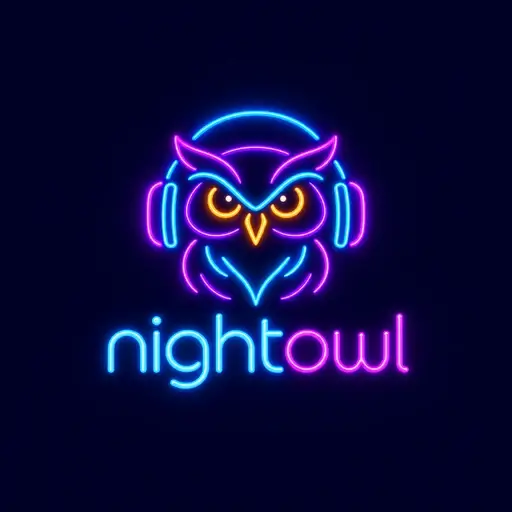
That's what our Neon style is for. One of our AI examples, nightowl, is a glowing purple owl in blue headphones above blue neon lettering, with the name in lowercase just as it's written. It looks right on a club screen and a dark flyer. It's drawn on its own dark background, though, so it's a picture rather than a cut-out shape, and the glow is hard to print on a shirt. Pair it with a flat version for merch.
Headphones are the DJ's guitar. They work on nightowl because the owl is what you remember; the headphones only tell you the trade.
A record label's logo usually appears small: on the back of a sleeve, on the round paper label in the middle of a record, at the end of a video. It has to survive in one color, often in white over someone else's artwork. Groove Records, from our AI examples, is a Retro 3D wordmark: cream serif letters with deep orange and brown depth, very 1970s record shop. It's great on a storefront or a website header, and our 3D logo maker shows what depth does in other styles. For the back of a sleeve, a label needs a flat version of its name too.
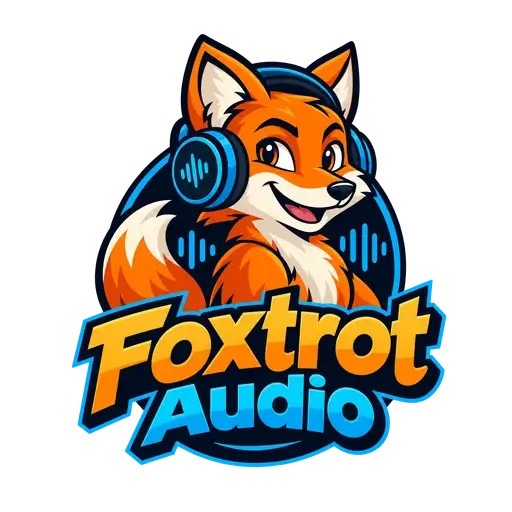
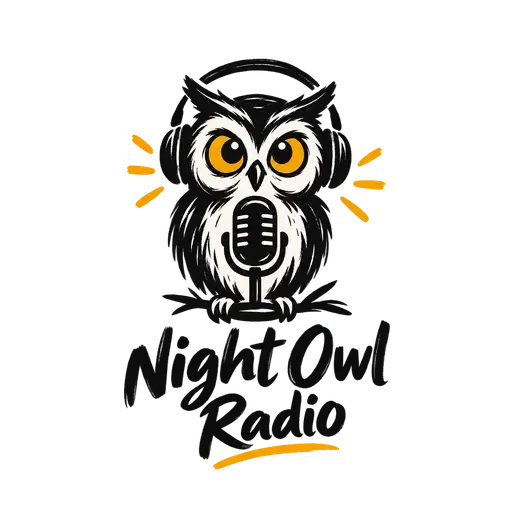
Recording studios and music teachers sell to people who want to feel welcome, often parents choosing lessons. Friendly beats edgy here. Foxtrot Audio, a smiling fox in headphones inside a sound-wave circle, has that warmth, and its circle already fits a round profile picture. For a radio show or a podcast, Night Owl Radio goes looser: an inky owl in headphones behind a microphone, drawn like a doodle in the margin of a notebook.
Covers are square, profile pictures are uploaded as squares and often shown as circles, and the label on a record is round. A wide logo with the name in one long line shrinks to a thin strip in all of them, so keep a stacked version or a symbol for these spots. Our templates help here: where a design pairs a symbol with the name, you download the symbol alone too, along with square profile images in your brand color.
Your logo doesn't have to go on every cover, either. The artwork changes with each release while your logo stays the same, and a small one in a corner is plenty.
The templates above already show your name, and you can edit them as much as you like without an account. You pay only when you download your logo. The instrument can't be swapped for another, so pick a template with the right one. If none fits, describe what you want to our AI logo generator, for example “a saxophone made of sound waves”, and try Neon, Mascot or Scribble. Sign up with your email or Google and pay once, before it's drawn.
Before you download, look at your logo in white on black and at profile-picture size. Once it's yours, our free logo checker puts it on dark backgrounds, shrinks it to avatar size and counts the colors a printer would have to deal with. For more music looks, browse our logo ideas.
For most bands, the name is the logo: lettering with some character is easier to remember than one more guitar. Keep a small mark for tight spaces, though, such as an initial or a simple symbol for profile pictures and the corner of a video. Templates that pair a symbol with the name come with each part as a separate file, so the small mark is ready when you need it.
Vector files first: the SVG or the PDF, which a printer can scale to any size. Then a one-color version for screen printing and embroidery, and a white one for black shirts. A template logo's download has all of them. If your main logo is Neon, Watercolor or 3D, it can go on a full-color poster, but screen printing and embroidery need a flat version.
Yes. Once you've bought the files, the commercial license covers album art, merch, posters and ads. Place the transparent PNG over your artwork, or, when the artwork is busy, the white or black version that comes with a template logo. For streaming profiles, upload the square profile image from your download rather than the wide logo, since many apps crop your picture to a circle.
Almost certainly. Clubs, flyers, stream layouts and the screen behind the booth are mostly dark, so the version people see most is the light one. Keep a white or glowing version next to your main logo. Once you have the files, run both through our free logo checker: it shows each one on light and dark backgrounds and how much of it still stands out.
No. In the editor you can recolor, resize, move or remove the symbol, but not replace it with a different drawing. Search our logo templates with the instrument as a keyword instead, such as “saxophone” or “drums”. Or describe it to the AI generator, which draws a new symbol around your name in the style you pick.
Browse all logo templates, use our free logo maker, or make a logo with depth in the 3D logo maker.